

ProPresenter is based in Alpharetta, United States, and offers live slide editing, per-output layer control and video walls up to 4 x 4.
Photos of ProPresenter
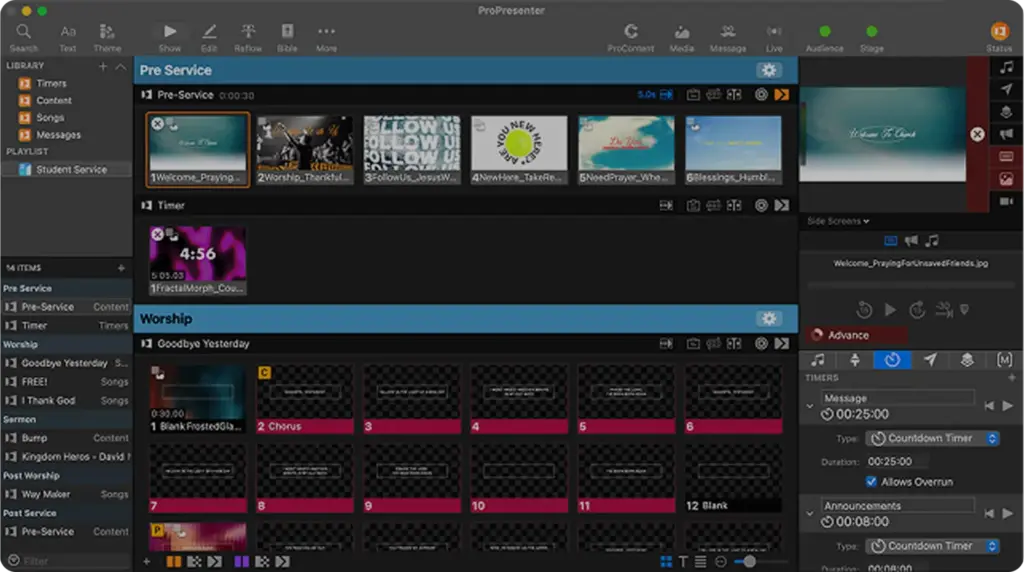
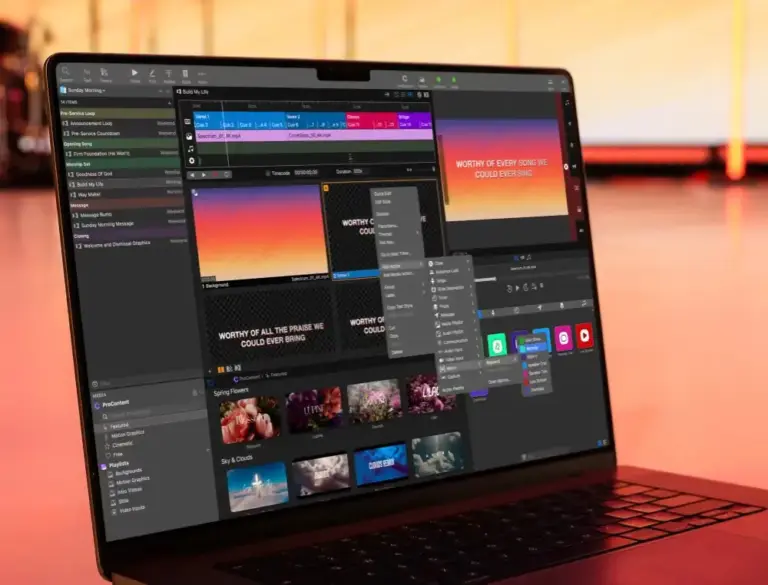
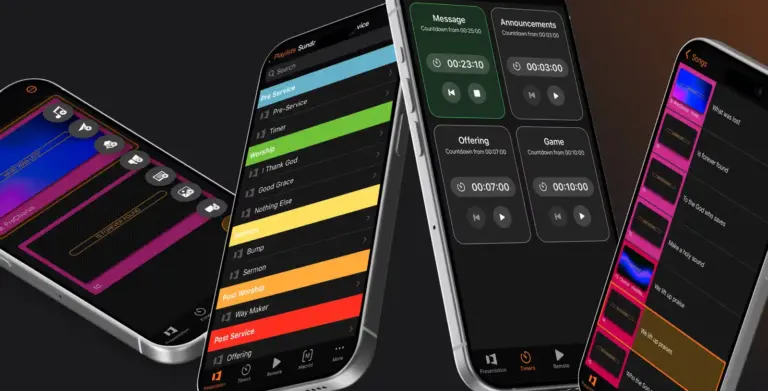
See all 4 photos
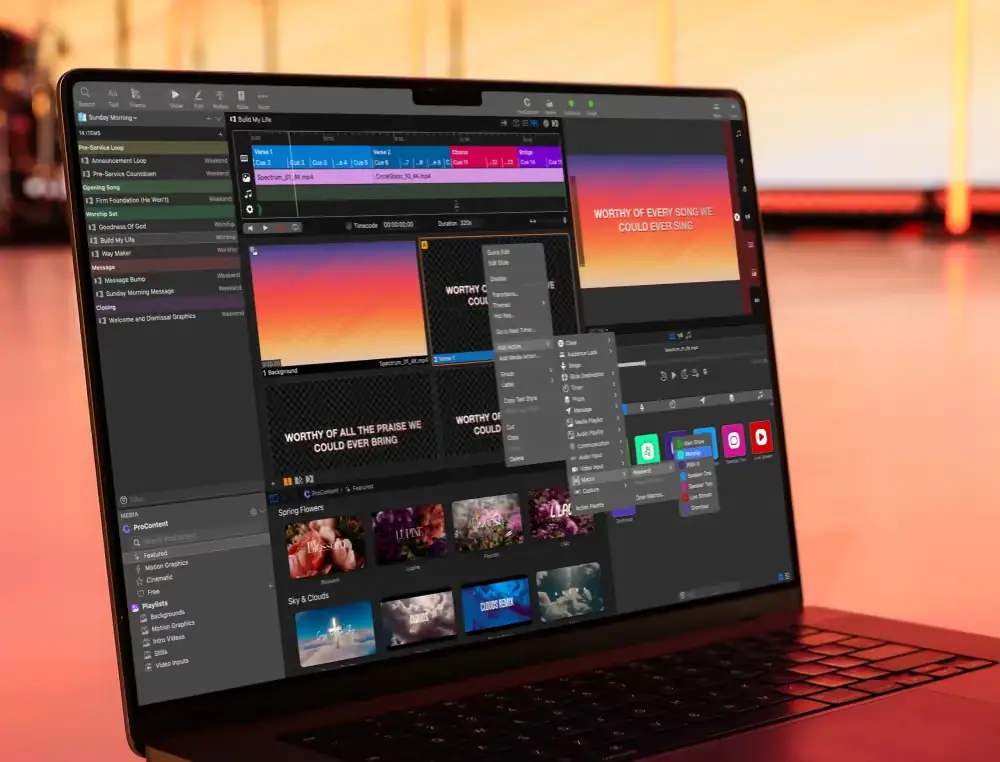
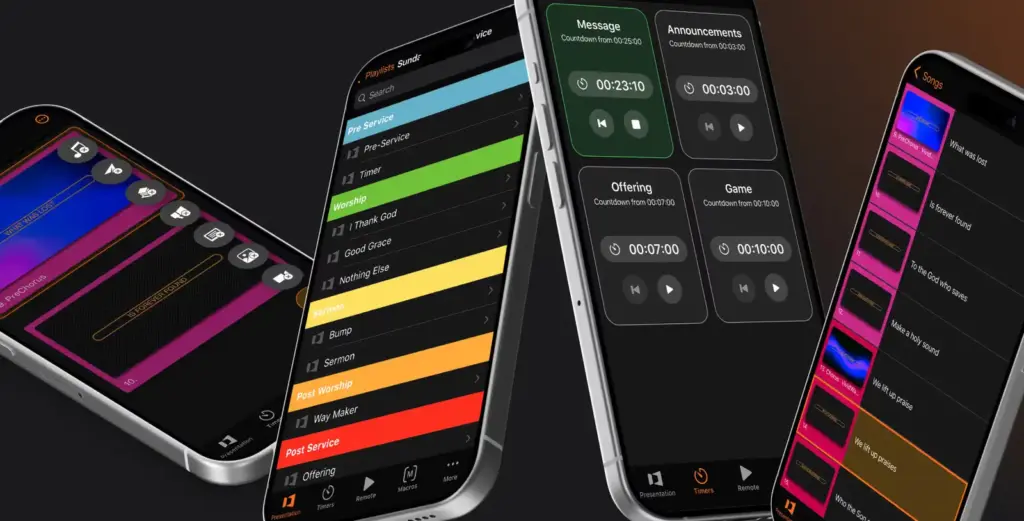
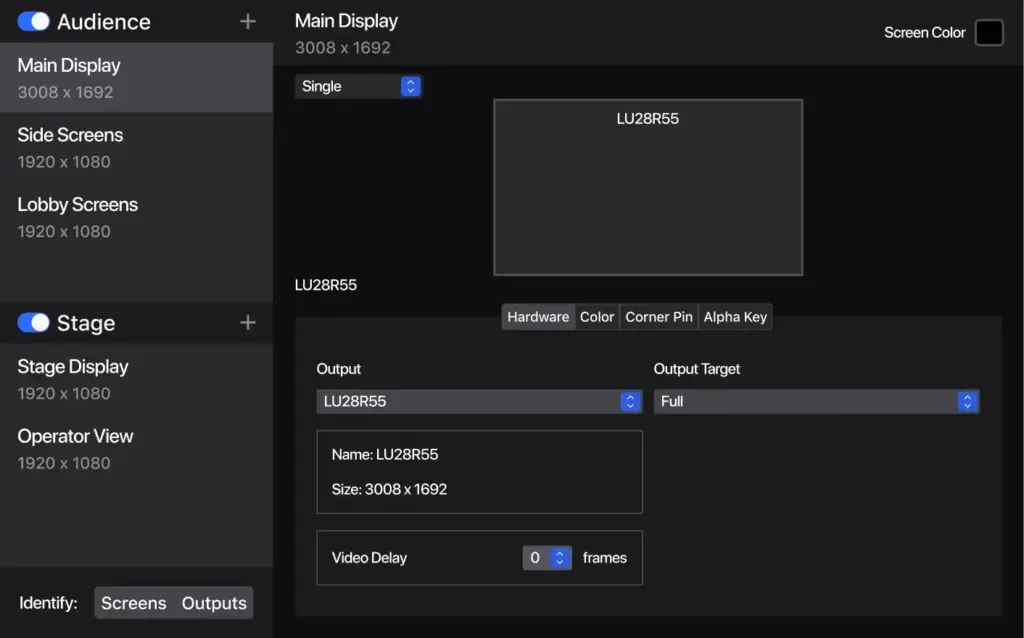
Images: ProPresenter.
- Price from
- $24.08 /mo per seat, billed annually ($289 for one seat)
- Pricing
- Subscription
- Free plan
- No
- Free trial
- Yes
Visit website (opens in a new tab) renewedvision.com
You can run main screens, side screens, lobby displays and a separate online feed from one computer, while speakers read their own notes and timers on a stage monitor. Macros and show-control cues then take repetitive triggering off your operator. It suits conference, concert and worship AV teams who need different content on each screen. Renewed Vision built ProPresenter first for houses of worship and now documents uses in live production, broadcast, business and education, so expect some church-centred tools and wording.
What it is for
You get slides, lyrics, video and graphics in one running order, so a show does not depend on switching between separate apps. Playlists hold presentations in show order and can be saved as templates. Renewed Vision describes live production setups with stage displays, lobby feeds, overflow rooms and a dedicated feed for online audiences. Its business page adds output to Zoom, and auditoriums and lecture halls.
Features
- Live slide editing
- Per-output layer control
- Video walls up to 4 x 4
- Projector edge blending and corner pinning
- Stage screens with timers and messages
- Operator multi-view
- Macros and slide actions
- Calendar scheduling
- Timecode follow
- Network Link between computers
- 16 audio busses
- Output recording
- Remote control app
- Cloud sync and backup
- Live editing. Change slides, video, images and audio while the show runs, without interrupting what is on screen.
- Screens. Choose which layers reach each output, mask areas, run a separate presentation for announcements, and build video walls up to 4 x 4. Projector edge blending and corner pinning are included.
- Stage screens. Show speakers current and next slide text, timers, clocks, live previews and private messages. Operators get a multi-view.
- Automation. Attach actions to slides, group them into macros, schedule content by calendar, record timelines and follow timecode.
- Redundancy. Network Link triggers several local computers together for extra outputs or a backup.
- Audio. Up to 16 independently configurable busses, so you can send licensed background music to the room and leave it off a stream.
- Recording. Built-in output recording in H.264, H.265, ProRes and HAP.
- Remote control. The ProPresenter Remote app changes slides, starts timers and triggers macros, and comes with active subscriptions.
- Cloud. Slides, media, timers and settings sync across computers and are backed up, with 50 GB of storage and two Cloud Editor seats included.
Plans and pricing
You pay per seat with no per-event or per-attendee charge listed, and yearly billing lowers the cost, with Renewed Vision quoting savings of 17% or more.
| Plan | Price | Billing | Includes |
|---|---|---|---|
| Standard, monthly | $29 per seat per month | Billed monthly | Limited ProContent Library access, 1 free ProDisplay screen for your first year |
| Standard, yearly | $289 for one seat, shown as $24.08 /mo | Billed annually | The same inclusions. Seats 2 to 4 add $189 each, seats 5 to 10 add $149 each, so 10 seats total $1,750 a year |
| Enterprise | Contact sales | Arranged with sales | A plan built around 11 or more seats |
Prices in US dollars as shown on its pricing section, checked 4 November 2026. No tax note is shown. Extra Cloud storage is billed on the same invoice: 200 GB at $5 a month or $49 a year, 1 TB at $14 or $149, and 3 TB at $24 or $249, per its Cloud page. More Cloud Editor seats cost $5 a month or $29 a year each.
Free plan and trial
You can test it for 14 days at no cost through the free trial. No free plan is listed. You can build and edit shows without activating a seat, but Cloud Editor and Local Editor seats put a watermark on outputs, so clean output needs a Presenter seat.
Integrations and API
- Planning Center Services
- SongSelect
- CCLI
- MultiTracks
- Amazing (APlay)
- Resi
- Elgato Stream Deck
- Bitfocus Companion
- Blackmagic UltraStudio
- Blackmagic DeckLink
- Blackmagic ATEM
- Dante Virtual Soundcard
- Zoom
- PowerPoint import
Show all 21 integrations
- NDI
- SDI
- Syphon
- MIDI
- DMX
- HTTP API
- TCP/IP API
You can tie it into the control gear and planning tools you already use. Renewed Vision names Planning Center Services, SongSelect (with CCLI usage reporting), MultiTracks, Amazing (APlay), Resi, Elgato Stream Deck and Bitfocus Companion. PowerPoint files can be imported.
For video and audio it lists SDI, NDI, Syphon, HDMI and DisplayPort, HLS stream playback, Dante Virtual Soundcard and Blackmagic UltraStudio, DeckLink and ATEM hardware. Control protocols include MIDI, DMX, timecode, AMP, CITP, GlobalCache, RossTalk, GVG100 and Sony BVS. Developers get an HTTP API, plus a TCP/IP alternative for systems without HTTP. The documentation opens from the app’s Network settings.
Deployment and platforms
Your show stays on each computer, so it keeps running if the internet drops. ProPresenter is an installed desktop app, and Cloud only syncs between machines. Support documentation sets the minimum at macOS 13.5 or Windows 10 version 1903, and recommends macOS 15 or higher or Windows 11. Remote apps run on iOS and Android. Stage Display apps cover Android, iOS, iPadOS and tvOS. Renewed Vision’s product and Cloud pages state no hosting region or security certification, so ask if your IT team requires them.
Company
You get support 7 days a week from a company with a long record in this field. Renewed Vision, LLC was established in 2000 and its terms give an address at 6505 Shiloh Rd #200, Alpharetta, Georgia. Its about page describes remote staff across dozens of countries and says it has worked with Mercedes-Benz, Gulfstream Aerospace and Calvin Klein.
What to check before buying
- Output limits. The product page says up to 8 unique outputs and the live production page says unlimited, limited by your hardware. Layer counts also differ (7 and 8). Confirm the figures for your screen plan.
- Version 22. Cloud needs version 22 or later, which the product page still labels a public beta, and the operating system table stops at version 21. Test it during the trial before relying on it.
- Seat count. Every computer that must output cleanly needs a Presenter seat, including a linked backup machine. The extra-seat prices above apply to yearly billing.
- Computer spec. Renewed Vision advises 16 GB of RAM for 4K output, a dedicated GPU with 8 GB of VRAM for 4K on Windows, and a dedicated GPU beyond four HD screens unless you use Apple Silicon.
- Resi and SDI. The vendor says Resi streaming survives an internet blackout of up to two minutes, but the pages give no Resi price, so ask what it costs. SDI depends on compatible Blackmagic hardware, which is not among the subscription inclusions.
- Cancellation. Subscriptions renew automatically, and fees already paid are non-refundable unless the law requires otherwise or Renewed Vision agrees case by case.
ProPresenter pricing
What ProPresenter publishes about its pricing, checked on its own pricing page. Prices change, so confirm the current terms with ProPresenter before you buy.
| Pricing model | Subscription |
|---|---|
| Published starting price | $24.08 /mo per seat, billed annually ($289 for one seat) |
| Free plan | No |
| Free trial | Yes |
Per-seat subscription in US dollars. 14-day free trial. Yearly billing is quoted as saving 17% or more. Extra Cloud storage from $5 a month or $49 a year. No tax note shown.
Source: renewedvision.com, checked 4 November 2026.
Alternatives to ProPresenter
Other directory profiles that do the same job as ProPresenter.
- OBS Studio
- Castr
- KUDO, also listed for AI event management and data tools
- BoxCast
- Restream
- RingCentral Events
Compare every listed option in live streaming software for events.
Related on Event Tech News
- AV and streaming tools, the full category to compare against.
- vMix, if live video streaming and production is your main job rather than slides.
- Wirecast, Telestream’s live streaming software for Mac and PC.
- OBS Studio, with our guide to where it fits in an event streaming setup.
- Ecamm Live, a live streaming platform for Mac.
- Blackmagic Design, maker of the DeckLink, UltraStudio and ATEM hardware listed above. See also the UltraStudio Express HD report.
- Bitfocus Companion, named by Renewed Vision for control and automation.
- Stagetimer, a remote-controlled countdown timer if you only need the stage clock.
- What to check before adding Slido to a session, for audience polling alongside your slides.
Sources: renewedvision.com ProPresenter and pricing, all features, live production, business, automations, stage screens, multi-screen management, Remote, Cloud, download notes, version 22 notes, system requirements, operating system support, API, Network Link, about, terms, checked 4 November 2026.
About ProPresenter
- Founded
- 2000
Details from ProPresenter’s own published information (source: renewedvision.com, checked 4 November 2026).