Castr is based in Vancouver, Canada, and offers multistreaming to up to 30 destinations, RTMP, SRT, RTSP, HLS and MPEG-TS ingest, and browser cloud production switcher.
Photos of Castr
See all 4 photos
Images: Castr.
- Price from
- $19.99/month or $199.99 billed yearly (Starter)
- Pricing
- Subscription
- Free plan
- No
- Free trial
- 7 days
Visit website (opens in a new tab) castr.com
You send one feed from your encoder and Castr handles the rest of the delivery chain: sending it to social platforms, playing it in your own embedded player, recording it, and turning it into on-demand video or a scheduled 24/7 channel. That suits AV and production agencies streaming client conferences, organisations running town halls or graduations, and organisers who want to charge for access to a live session or its replay. Castr is a cloud video service from Vancouver.
What it does for production teams and organisers
- Multistreaming to up to 30 destinations
- RTMP, SRT, RTSP, HLS and MPEG-TS ingest
- Browser cloud production switcher
- Embeddable HTML5 player with chat
- Cloud recording and live-to-VOD
- Live clipping
- Live captions and translation (beta)
- Video hosting
- 24/7 TV playout
- Pre-recorded streams as live
- Paywall and in-stream ads
- DRM add-on
- White-label OTT web app (Events plan)
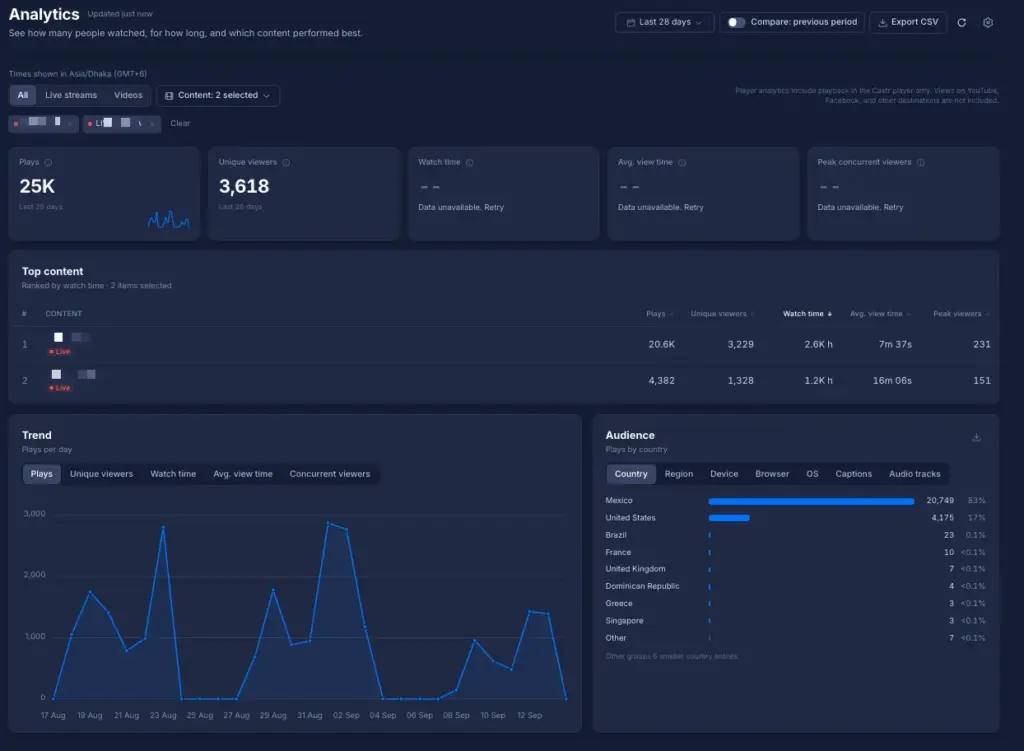
- Viewer analytics
- Workspaces and sub-accounts for clients
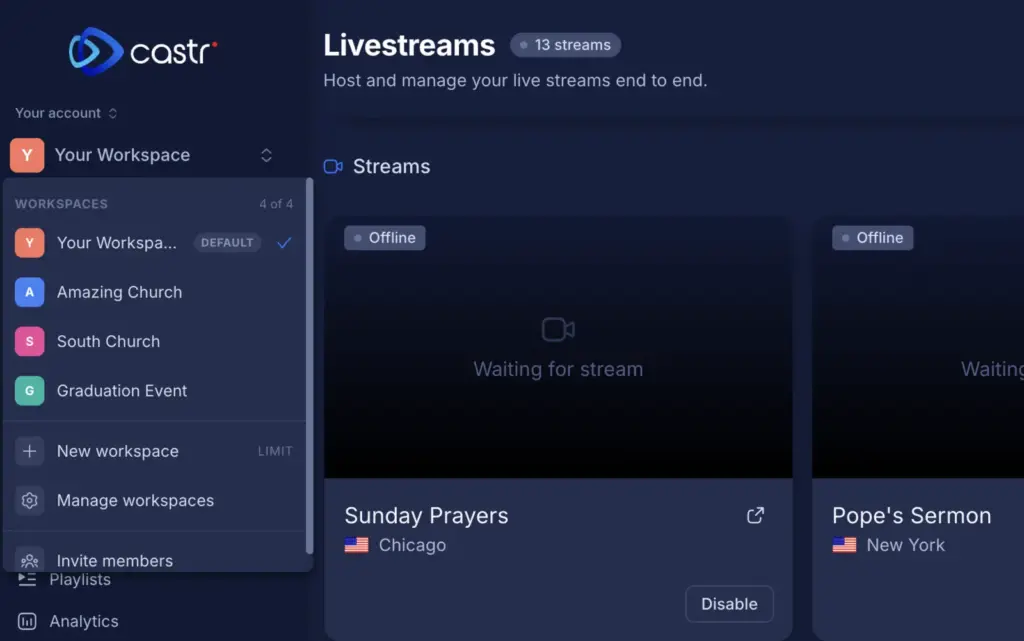
If you run several client broadcasts at once, you can keep each client’s streams, destinations and users apart through sub-accounts and team permissions, watch bitrate charts during the show, and hand over recordings afterwards. That is how Castr’s live event production page describes it, writing for livestream production companies, webcast teams and technical directors. Its help centre also documents workspaces, which let you file streams, videos and events for different clients or programmes under one login.
You can also use it, as documented, to send a Zoom meeting or webinar out through Castr to a website and social channels (this needs a paid Zoom plan with custom live streaming switched on), stream IP cameras over RTSP, and replay recorded sessions on a schedule as if they were live.
Features for getting a stream in, out and paid for
You get ingest, multistreaming, production, playback, recording and paid access in one service, with limits that vary by plan.
- Ingest. RTMP, SRT, RTSP, HLS and MPEG-TS input on every plan, plus WHIP according to the help centre. Failover (backup) ingest arrives on Ultra. The vendor’s security page cites more than 40 ingest locations.
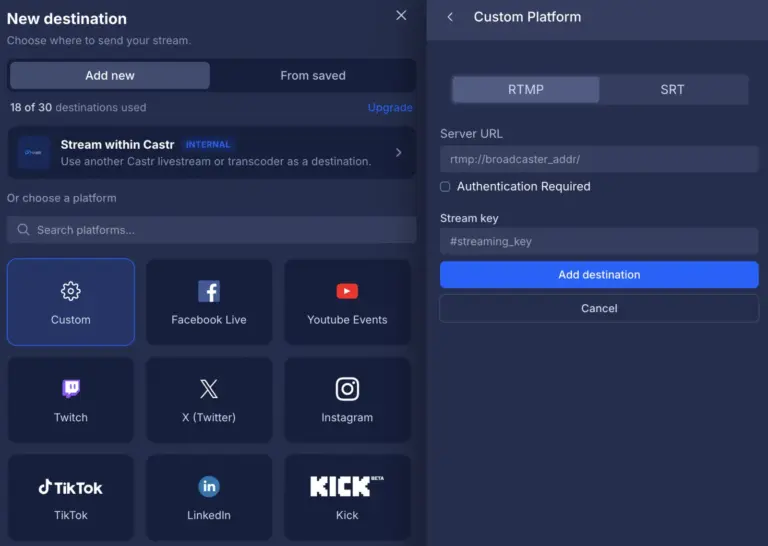
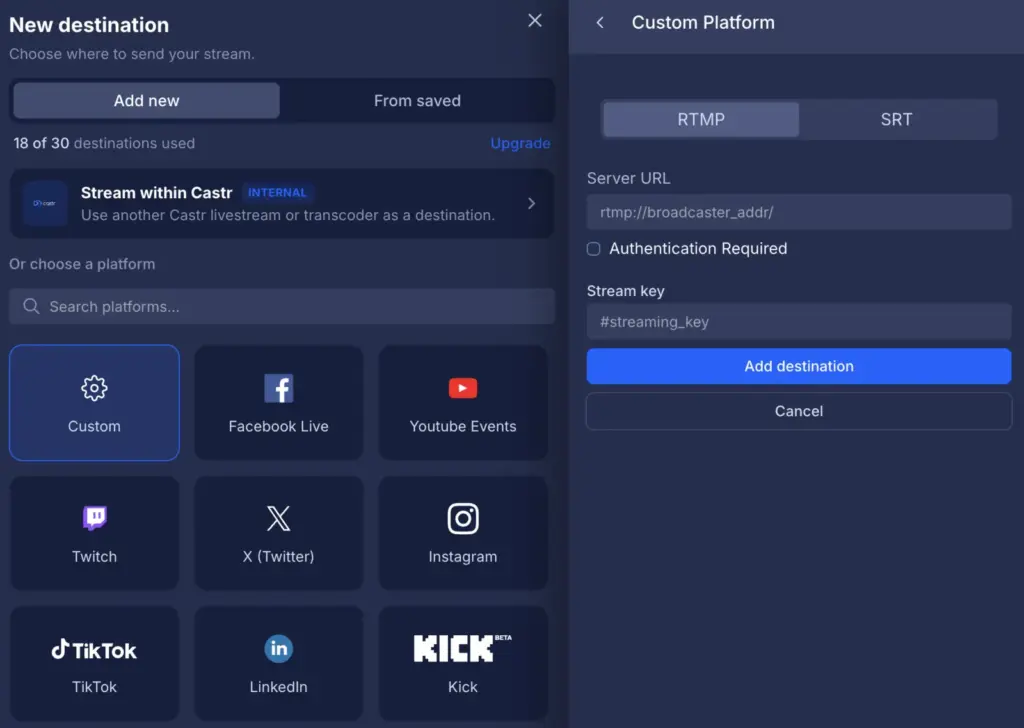
- Multistreaming. One-click connections for YouTube, Facebook Pages and Groups, Twitch and LinkedIn, with TikTok, Instagram and anything else reached through custom RTMP or SRT. The limit is 6 destinations on Starter, 10 on Standard, 20 on Premium and 30 on Ultra and Events, counted across the whole account. Destinations can be toggled during a stream and saved as reusable groups.
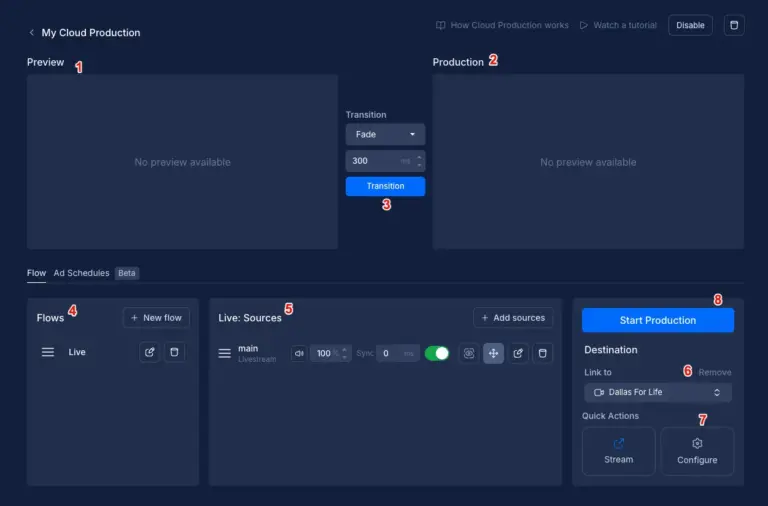
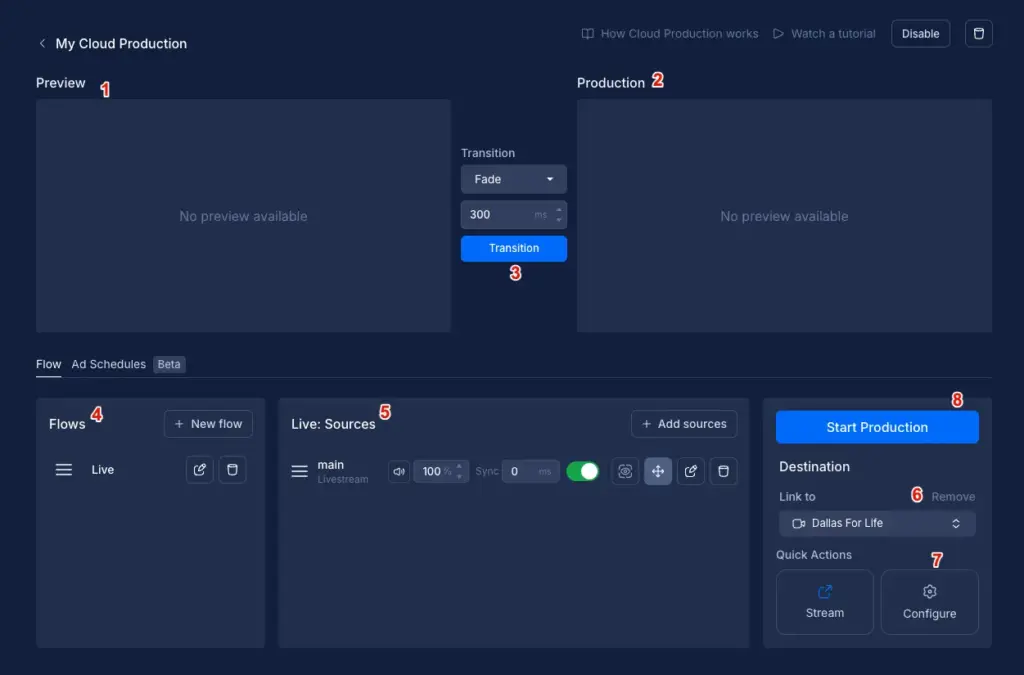
- Cloud production. A browser switcher with preview and programme windows, transitions, overlays, per-source audio and scheduled “Flows”. Castr says it enables this on request, and the trial includes it.
- Player and hosting. An HTML5 embed player with chat, password protection, custom branding and analytics kept for 30 days. Premium adds adaptive bitrate, rewind, timeshifting, domain allowlisting and geo-blocking.
- Recording and replay. Cloud recording of up to 72 hours with recordings retained for up to three days, live-to-VOD, and live clipping (5-minute clips on Starter and Standard, 60 minutes above).
- Captions. A beta live captioning tool generates captions in the source language and translates them, up to four caption languages per stream. The help article says 10 hours are free during the beta.
- Playout and pre-recorded streams. Scheduled TV playout on every plan, with loop mode and an electronic programme guide from Premium.
- Monetisation. A paywall on every plan with a 9% commission, in-stream ads from Standard, and DRM (Widevine, FairPlay, PlayReady) as an add-on on any plan.
Plans and pricing with no annual tie-in required
You can pay month to month on any of Castr’s five published subscription plans. Paying yearly gives you two months free and switches the monthly bandwidth allowance for a larger annual pool, and on most plans adds concurrent streams.
| Plan | Price | Billing | Includes |
|---|---|---|---|
| Starter | $19.99 per month, or $199.99 per year ($16.67 per month) | Monthly or annual | 2 streams (3 on annual), 6 destinations, 200 GB/month bandwidth or 2.4 TB yearly pool, 100 GB storage |
| Standard | $49.99 per month, or $499.99 per year ($41.67 per month) | Monthly or annual | 2 streams (3 on annual), 10 destinations, 500 GB/month or 6 TB yearly, 200 GB storage, SRT/RTMP pull links, in-stream ads |
| Premium | $199.99 per month, or $1,999.99 per year ($166.67 per month) | Monthly or annual | 5 streams (10 on annual), 20 destinations, 3 TB/month or 36 TB yearly, 2 TB storage, adaptive bitrate, API, 3 team members |
| Ultra | $349.99 per month, or $3,499.99 per year ($291.67 per month) | Monthly or annual | 10 streams (15 on annual), 30 destinations, 5 TB/month or 60 TB yearly, 3 TB storage, failover ingest, low-latency playback, webhooks |
| Events | $749.99 per month, or $7,499.99 per year ($624.99 per month) | Monthly or annual | 15 streams, 30 destinations, 10 TB/month or 150 TB yearly, 3 TB storage, branded web app, CMS, SVOD and TVOD with 30+ payment gateways |
Prices as shown in US dollars on its pricing page on 31 October 2026; no tax note is shown. Custom allocations and enterprise terms are quoted by sales.
Free trial with no credit card
You can test Castr without a credit card, as new accounts get a seven-day trial. There is no free plan. The help centre puts the trial allowance at 5 GB of player bandwidth and 1 GB of storage, enough for test streams rather than a real event, and says transcoder settings cannot be saved during it.
Integrations and API for your existing kit
- YouTube
- Twitch
- X
- TikTok
- Rumble
- Kick
- Trovo
- Zoom
- OBS Studio
- Streamlabs
- vMix
- Wirecast
Show all 25 integrations
- XSplit
- Teradek
- ATEM Mini Pro
- SlingStudio
- Larix Broadcaster
- LiveU
- DJI
- Dropbox
- Google Analytics
- REST API
- Webhooks
You can keep your existing encoder or production tools, as Castr publishes set-up guides for OBS Studio, Streamlabs, vMix, Wirecast, XSplit, Teradek, the ATEM Mini Pro, SlingStudio, the Larix Broadcaster app, LiveU Solo and DJI drones. LiveU API access is listed on every plan. Destination guides cover YouTube, Facebook, LinkedIn, X, TikTok, Rumble, Kick and Trovo. Video files can be imported from Dropbox, and the help centre explains adding Google Analytics to a live stream.
Your developers can create streams, upload video, manage destinations and convert recordings to on-demand assets through endpoints listed on the API page. The REST API, stream alerts and team members start on Premium; webhooks, the player events API and the activity log need Ultra.
Deployment and platforms with nothing extra to install
You have no software to install beyond your own encoder, because Castr is a cloud service run from a web dashboard. Castr says playback goes out over Akamai, Fastly and Amazon CloudFront, and quotes a 99.9% uptime SLA with a public status page. Its security page covers HTTPS with HSTS, DDoS protection and access controls, and it publishes a GDPR policy; it does not cite SOC 2 or ISO 27001. On Events, native iOS, Android, Roku, Apple TV, Android TV, Fire TV, Tizen and webOS apps are scoped and priced separately.
Company and support
You get 24/7 live chat support on every plan and dedicated support on Ultra annual and Events. The operating company is Castr Live Streaming, Inc., with an office at 777 Hornby Street in Vancouver, British Columbia, Canada, according to its website footer. Castr says it has been in business since 2018.
What to check before buying
You avoid streams switched off mid-event, unplanned charges and lost recordings by settling these points first.
- Work out bandwidth for your audience with Castr’s bandwidth calculator. On Starter and Standard the help centre says streams are switched off when the allowance runs out; Premium and above keep streaming and charge overage at $0.10 per GB, billed per terabyte.
- Recordings are kept for only three days, so move session recordings into video hosting or download them soon after the event. Source video download needs Ultra.
- Count destinations across every concurrent event. The limit is per account, so an agency running two client shows on Standard shares 10 between them.
- If you charge for access, budget for the 9% paywall commission, or 5% OTT commission on Events, on top of the subscription.
- Refunds are decided case by case and may be refused once you have streamed or uploaded, so use the trial for a full rehearsal before you pay.
- Native mobile and TV apps are not in the Events price. Get the scope and cost in writing before you promise attendees an app.
Castr pricing
What Castr publishes about its pricing, checked on its own pricing page. Prices change, so confirm the current terms with Castr before you buy.
| Pricing model | Subscription |
|---|---|
| Published starting price | $19.99/month or $199.99 billed yearly (Starter) |
| Free plan | No |
| Free trial | 7 days |
Month to month; annual billing gives 2 months free and a yearly bandwidth pool. Paywall commission 9%, OTT commission 5% on Events. DRM is an add-on. Overage $0.10/GB on Premium and above; Starter and Standard streams stop at the bandwidth limit (help centre).
Source: castr.com, checked 31 October 2026.
Alternatives to Castr
Other directory profiles that do the same job as Castr.
- ON24, also listed for AI event management and data tools
- Blackmagic Design
- Bitfocus Companion
- Airmeet, also listed for AI event management and data tools
- Zoom Events
- StreamYard
Compare every listed option in live streaming software for events.
Related on Event Tech News
You can compare Castr with other streaming tools, and read our guide, from these pages.
- AV and streaming directory, every streaming and production tool we list.
- Restream, a multistreaming service to compare on destinations and pricing.
- BoxCast, another hosted streaming platform with its own player and recordings.
- Dacast, a video hosting and live streaming platform with paywall options.
- OBS Studio, free production software that can send its programme feed to Castr over RTMP or SRT.
- vMix, a Windows production switcher with documented SRT links to Castr.
- Wirecast, production software with a Castr connection guide.
- Blackmagic Design, maker of the ATEM Mini Pro switcher that Castr’s help centre covers.
- StreamYard, a browser studio for interviews and remote speakers.
- Where OBS Studio fits in an event streaming setup, on splitting production from delivery.
Sources: castr.com pricing, castr.com multistreaming, castr.com live event production, castr.com video API, castr.com security, Castr help centre, checked 31 October 2026.
About Castr
- Founded
- 2018
Details from Castr’s own published information (source: castr.com, checked 31 October 2026).
Where to find Castr
Map loads here.
Suite 600 – 777 Hornby Street, Vancouver, BC V6Z 1S4, Canada
View a larger map (opens OpenStreetMap in a new tab) Get directions (opens OpenStreetMap in a new tab)