

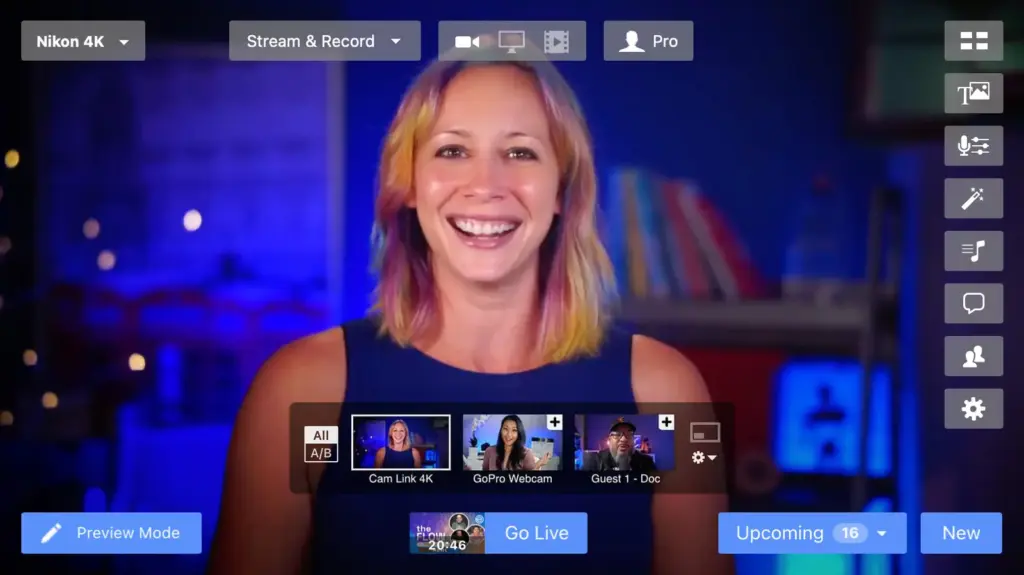
Ecamm Live is based in N Andover, United States, and offers live camera switching, saved scenes and screen sharing with picture-in-picture.
Photos of Ecamm Live
See all 4 photos
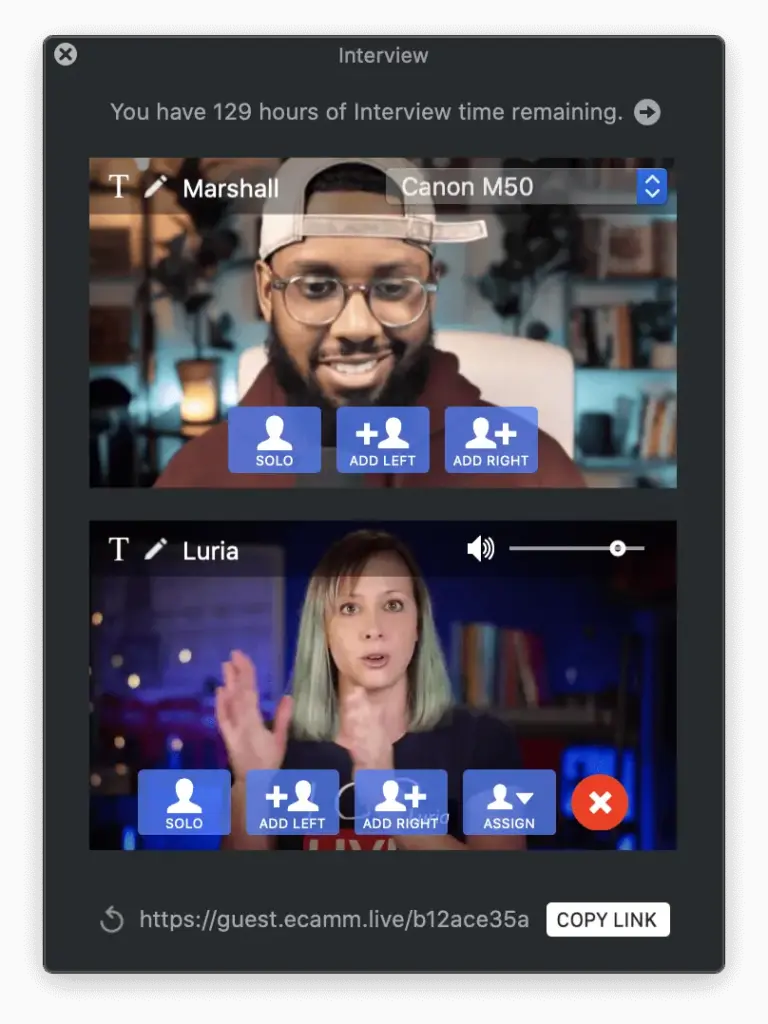
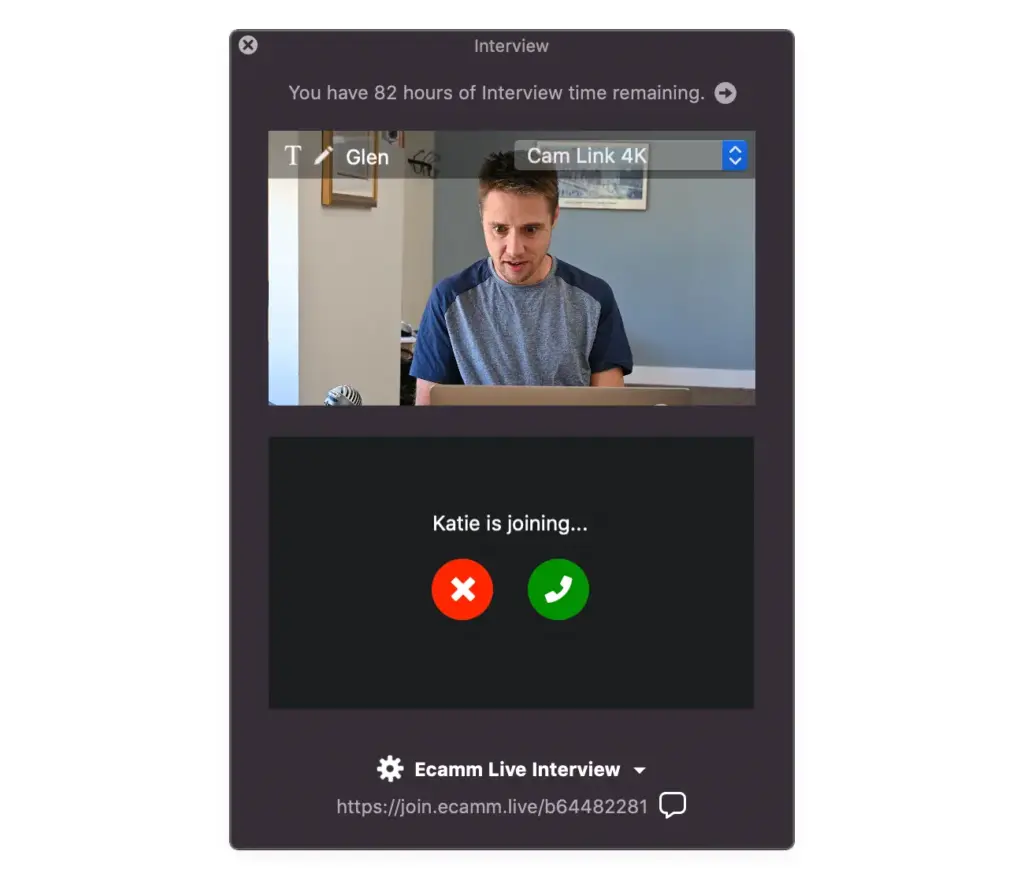
Images: Ecamm Live.
- Price from
- $16/month, billed as $192 yearly (Standard)
- Pricing
- Subscription
- Free plan
- No
- Free trial
- 14 days
Visit website (opens in a new tab) ecamm.com
You can mix cameras, slides, remote guests and graphics from a single Mac and send the result to social platforms, a custom RTMP server or a Zoom session. If you are a presenter, a small in-house production team or an event organiser, this gives you one computer to run a live stream, recorded video or podcast. Ecamm Live (now branded simply as Ecamm) is the Mac application that does it, and it does not run on Windows, iPhone or iPad.
What it is for
You get a stream and a file for on-demand viewing from one production run, because every broadcast is also saved to the Mac. Ecamm describes the app as a studio for streaming, recording, podcasting and presenting. In an events context that covers a live-streamed keynote or panel, a webinar fed into Zoom, a hybrid session with speakers joining from home, or a pre-recorded session you build from saved scenes and publish later.
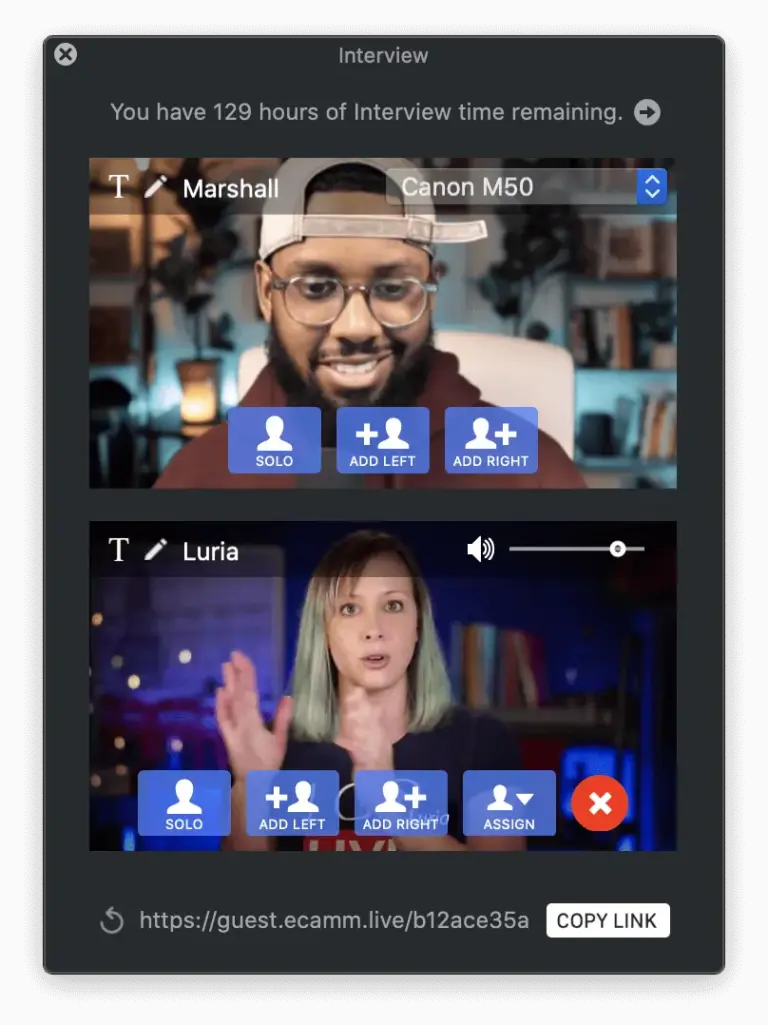
Your remote speakers need neither the app nor a Mac, as they join through Interview Mode from a browser link. According to the Interview Mode FAQ, an Apple Silicon Mac can take up to 10 guests at once and an Intel Mac up to 4. Guests wait in a greenroom, muted and off screen, until you add them to the programme.
Features
- Live camera switching
- Saved scenes
- Screen sharing with picture-in-picture
- HDMI, USB DSLR and iPhone camera inputs
- NDI input and output
- Multistreaming to 10 destinations
- Custom RTMP streaming
- Local and isolated recording
- Remote guests via browser (Interview Mode)
- Zoom integration
- Overlays, lower thirds, countdowns and tickers
- Green screen and camera effects
- On-screen viewer comments
- Broadcast scheduling
- Virtual camera and microphone
- Stream Deck control
You get switching, graphics, audience comments, multistreaming and recording in one app, with some outputs reserved for Pro.
- Sources. You can connect multiple cameras with a live switcher, screen and window sharing with system audio, HDMI capture devices such as Elgato Cam Link up to 4K, DSLR and mirrorless cameras over USB, an iPhone or iPad over USB as a camera or shared screen, NDI sources and Blackmagic DeckLink cards for SDI.
- Scenes and graphics. You can prepare saved scenes with titles and split screens, logos, lower thirds, countdowns, scrolling tickers, ProRes and WebM animations, and web widgets from StreamElements and Streamlabs.
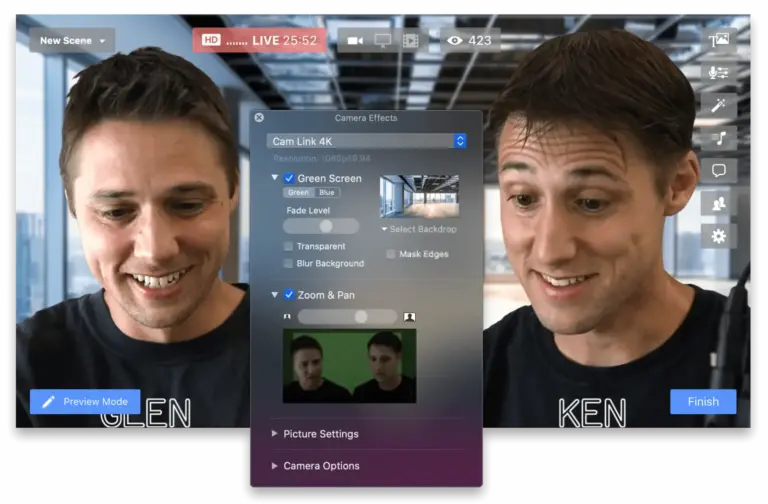
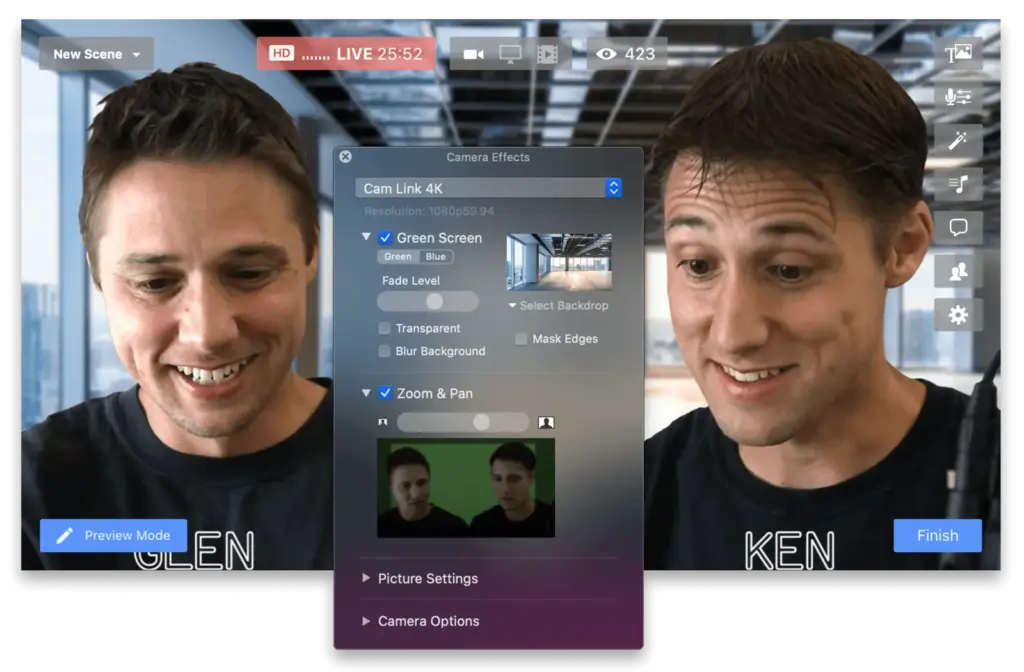
- Camera effects. You get green screen with image or video backdrops, digital pan and zoom, image adjustments and colour LUTs.
- Audience. You can see comments from Facebook, YouTube, Instagram, X, Amazon Live and Twitch in the app and place them on screen, plus schedule Facebook, YouTube and LinkedIn broadcasts.
- Outputs. You reach more places at once through multistreaming to up to 10 destinations, custom RTMP and automatic local recording. On Pro you also get isolated audio and video tracks, NDI output, a virtual camera and microphone for other Mac apps, 4K streaming and monitoring on an external display or AirPlay device.
- Control. You can run the show from a Stream Deck plugin with scene, overlay, sound and Go Live keys, hot keys, AppleScript, Shortcuts actions (macOS 13 or newer) and a local Remote Control API.
Plans and pricing
You save 20% by paying yearly, the pricing page says, and it shows annual billing by default. Ecamm sells two subscriptions.
| Plan | Price | Billing | Includes |
|---|---|---|---|
| Standard | $16 per month | Annual, one payment of $192 | No watermark, multistreaming to 10 destinations, overlays and branding, screen sharing, local recording, comments, web widgets, green screen |
| Standard | $20 per month | Monthly | As above |
| Pro | $32 per month | Annual, one payment of $384 | Standard plus Ecamm for Zoom, Interview Mode, virtual mic and webcam, 4K, display monitoring, isolated recording, audio monitor output, bandwidth stats, VIP support |
| Pro | $40 per month | Monthly | As above |
You can move from Standard to Pro, or from monthly to annual, at any time with a prorated charge, and the page offers a full refund within 14 days of signing up. Prices as shown on its pricing page on 31 October 2026, in US dollars with no tax note. For several users, the help centre lists Team Licences on annual Pro seats, from $384 per seat for one or two seats down to $200 per seat at 100 or more.
Free trial
You can test both Standard and Pro features for 14 days without a card, but every broadcast carries an Ecamm watermark. There is no free plan. Interview Mode is limited to two hours for trial and Standard users.
Integrations and API
- Facebook Live
- Instagram Live
- YouTube Live
- LinkedIn Live
- X Live
- Amazon Live
- Twitch
- Restream
- Switchboard Live
- OneStream
- Wowza Streaming Cloud
- Zoom
- Elgato Stream Deck
- NDI
Show all 21 integrations
- Blackmagic DeckLink
- StreamElements
- Streamlabs
- Custom RTMP
- AppleScript
- Apple Shortcuts
- Remote Control API
You can stream straight to Facebook Live, Instagram Live, YouTube Live, LinkedIn Live, X Live and Amazon Live, as Ecamm’s help centre lists direct connections to each, plus the relay services Restream, Switchboard Live and OneStream. Anything else, such as Wowza Streaming Cloud or a venue’s own media server, takes an RTMP stream key. Ecamm for Zoom (Pro) brings up to ten Zoom participants in as camera sources and can send the programme into a Zoom Meeting, Webinar or Event, with Zoom chat and Q&A as overlays. Developers get the Remote Control API (Bonjour discovery and HTTP commands) and an AppleScript dictionary.
Deployment and platforms
You keep your recordings on your own Mac, because this is installed desktop software for macOS 11.2 or newer, with a 2020 or later Mac recommended. Ecamm states it has no plans for a Windows version. It needs at least 1 Mbps upload, 4 Mbps for HD, and Ecamm recommends 10 Mbps for Interview Mode and Zoom work. Isolated recording of Zoom participants requires Apple Silicon. We found no published security certification.
Company
You get support Monday to Friday, 9am to 5pm US Eastern time, from Ecamm Network, LLC. It was started in the late 1990s by twin brothers Ken and Glen Aspeslagh, according to its about page, and its privacy policy gives a postal address in North Andover, Massachusetts, USA. It also makes the Mac apps iGlasses and CardRaider.
What to check before buying
These checks help you avoid buying the wrong plan, Mac or Zoom licence for your sessions.
- Every operator needs a Mac on macOS 11.2 or later. If your AV crew runs Windows, Ecamm itself points PC users to vMix.
- Remote speakers, the Zoom link and isolated tracks are all Pro features. Budget for Pro if you plan hybrid sessions, not Standard.
- Guest numbers depend on the Mac. An Intel machine stops at 4 Interview guests, against 10 on Apple Silicon.
- Zoom participant video tops out at 720p unless the Zoom account is on Pro, and 1080p needs Zoom Business, so check the Zoom licence as well as the Ecamm one.
- Run any test stream for a client during the trial with the watermark in mind, and cancel inside 14 days if it is not right, as the refund window is the same length.
- Vertical and HD at the same time (Dual Mode) only works when streaming directly, not via Restream.
Ecamm Live pricing
What Ecamm Live publishes about its pricing, checked on its own pricing page. Prices change, so confirm the current terms with Ecamm Live before you buy.
| Pricing model | Subscription |
|---|---|
| Published starting price | $16/month, billed as $192 yearly (Standard) |
| Free plan | No |
| Free trial | 14 days |
Pro is $32/month billed as $384 yearly; monthly billing is $20 (Standard) or $40 (Pro). Trial needs no card, includes Standard and Pro features and adds a watermark. 14-day refund.
Source: ecamm.com, checked 31 October 2026.
Alternatives to Ecamm Live
Other directory profiles that do the same job as Ecamm Live.
- ProPresenter
- Goldcast, also listed for AI event management and data tools
- Interprefy, also listed for AI event management and data tools
- Stagetimer
- Livestorm, also listed for audience engagement tools
- ON24, also listed for AI event management and data tools
Compare every listed option in live streaming software for events.
Related on Event Tech News
You can compare Ecamm with other production tools and see what connects to it here.
- AV and streaming, the full category of production and streaming tools.
- OBS Studio, an open-source encoder that does the same streaming job without a subscription.
- vMix, the Windows production software Ecamm recommends to PC users.
- Wirecast, another installed production switcher listed in the same category.
- Restream, one of the relay services Ecamm connects to directly.
- StreamYard, a browser-based studio if you would rather not install software.
- Zoom Events, a destination Ecamm for Zoom can send a programme into.
- Blackmagic Design, maker of the DeckLink cards Ecamm supports for SDI cameras.
- Bitfocus Companion, for operators who drive several tools from one control surface.
- Where OBS Studio fits in an event streaming setup, useful for comparing a free encoder with a paid Mac studio.
- StreamYard for a remote speaker event, which covers the same remote-guest job from the browser.
Sources: ecamm.com product page, ecamm.com pricing, team licences, Interview Mode FAQ, Ecamm for Zoom, supported platforms, multistreaming FAQ, automation, system requirements, about, privacy policy, checked 31 October 2026.
Details from Ecamm Live’s own published information (source: ecamm.com, checked 31 October 2026).
Where to find Ecamm Live
Map loads here.
1132 Salem St, N Andover, MA 01845, United States
View a larger map (opens OpenStreetMap in a new tab) Get directions (opens OpenStreetMap in a new tab)