
RSVPify is based in Chicago, United States, and offers online RSVPs and registration, invite-only guest lists, and event ticketing.
Photos of RSVPify
See all 4 photos
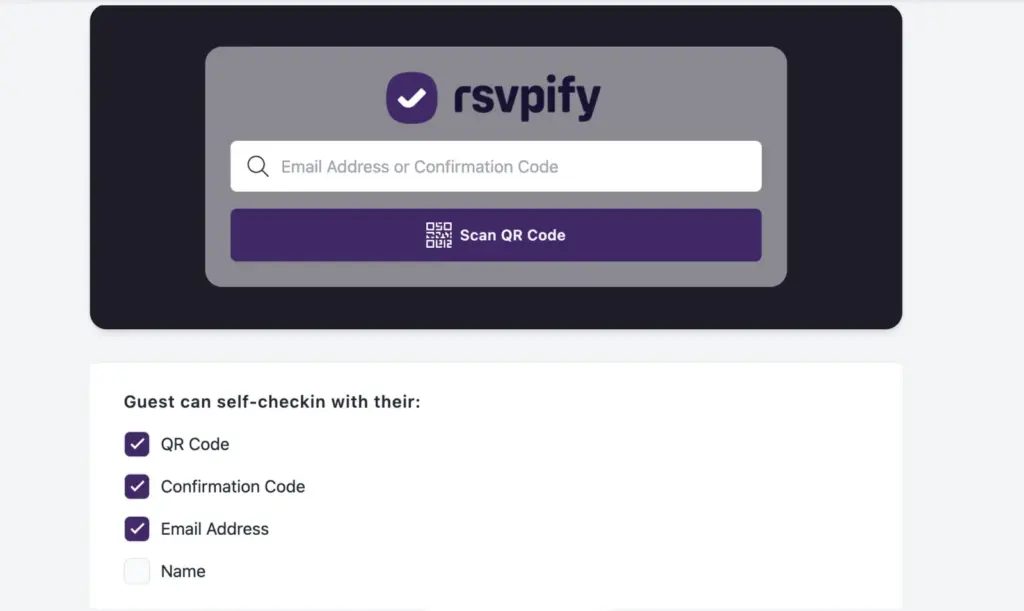
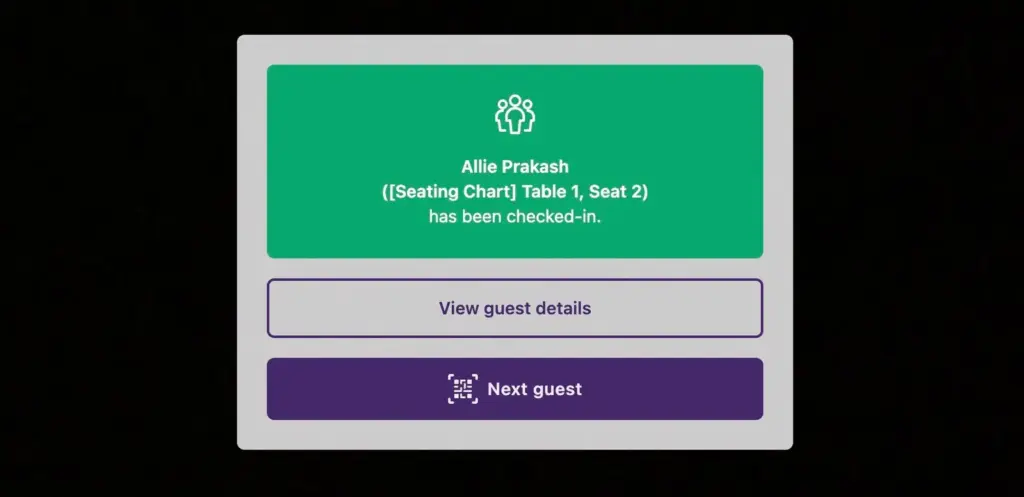
Images: RSVPify.
- Price from
- $24 per month billed annually (Starter); $39 billed monthly
- Pricing
- Free plan with paid upgrades
- Free plan
- Yes
- Free trial
- Yes
Visit website (opens in a new tab) rsvpify.com
You can run invitations, RSVPs, paid tickets and door check-in for a guest-list event from one account, and if you sell tickets you pay no monthly fee at all. RSVPify suits teams that host invite-only receptions, galas, client events and internal meetings, where who is on the list matters as much as how many register. It is a browser-based registration and guest management service from RSVPify Inc. of Chicago, with check-in apps for phones and tablets and a desktop app for printing name badges.
What it is for
You get control over who can register. The vendor builds the product around invite lists: you can restrict an event to approved guests, give each invitee their own password, set how many extra guests each person may bring and tag guests (VIP, sponsor, employee) so forms and emails change by tag. Its event-type pages cover client and employee appreciation events, product launches, conferences, sales kick-offs, galas, donor events, school and university events, and personal occasions such as weddings and birthdays.
Features
- Online RSVPs and registration
- Invite-only guest lists
- Event ticketing
- Donations
- Seating charts
- Table Captains group registration
- Email invitations and reminders
- SMS messaging (Enterprise)
- Event website builder
- Embeddable forms
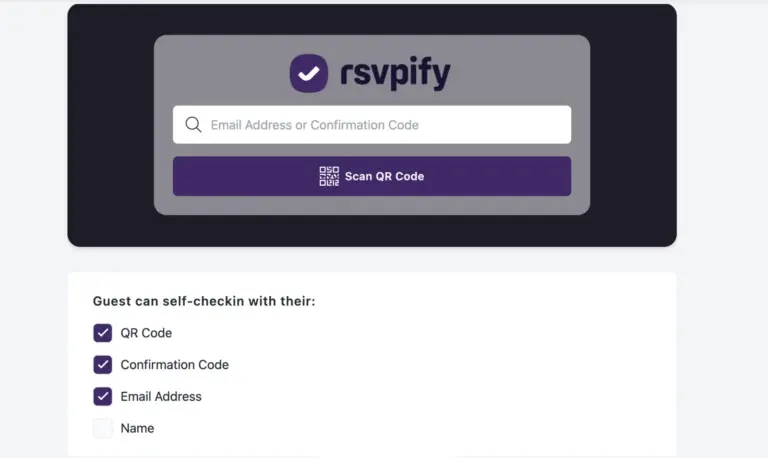
- QR code check-in
- Self check-in kiosk (Enterprise)
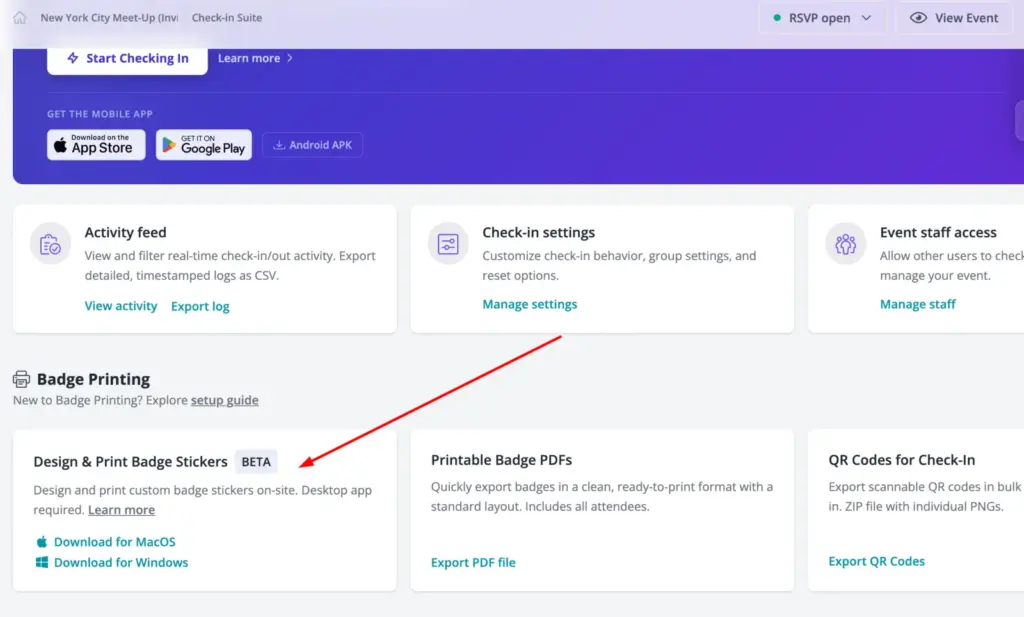
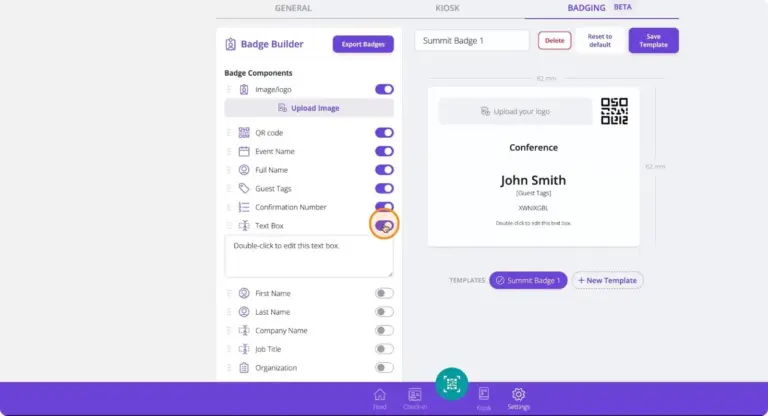
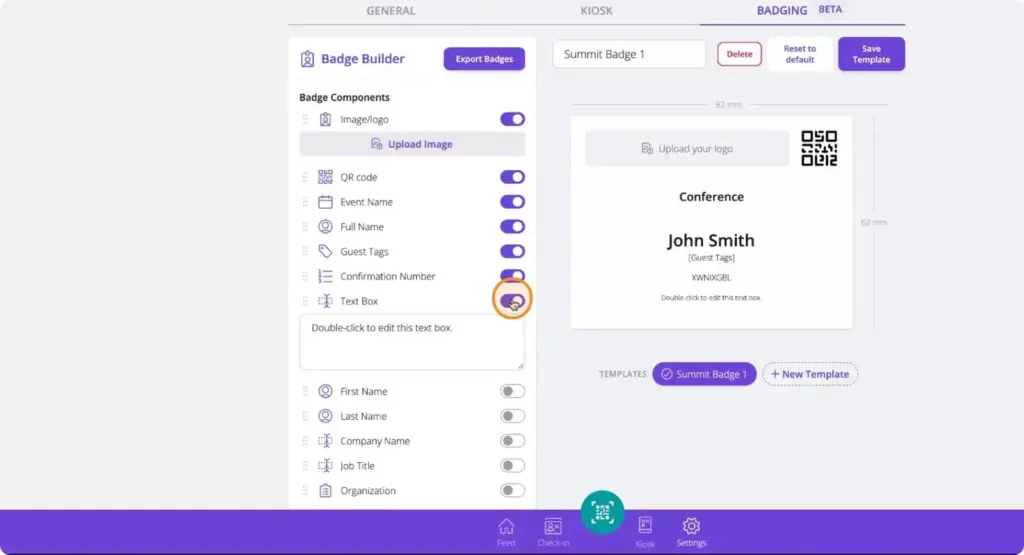
- Badge printing (beta)
- Cue AI assistant and MCP server (Enterprise)
- Forms and registration. Custom questions, waivers, capacity limits, multiple ticket tiers or sessions, linked secondary events (a dinner or breakout alongside the main event), time-slot booking, meal and dietary choices, multi-language forms and conditional questions.
- Guest list. Plus-ones and +X allowances, guest tags, imported custom data fields, drag-and-drop seating charts and Table Captains, where sponsors or group leads fill their own tables.
- Communications. Branded email invitations and save-the-dates, reminders and follow-ups with calendar (ICS) files attached, audience segments, and SMS on Enterprise.
- Event pages. An event website builder, embeddable forms, QR codes for registration and an Event Hub calendar on Enterprise.
- Check-in. QR scanning or name search from a phone, tablet or laptop, an exportable activity log, walk-in guests, and an unattended self check-in kiosk on Enterprise.
- Badges (beta). A badge builder for 82 mm by 62 mm labels printed on arrival through a Brother QL label printer (the help centre recommends the QL-820NWB), or a PDF export on A4, A3 or Letter for Avery-style badge stock. On-demand printing is black only, plus red on compatible media.
- AI tools. Cue, an assistant inside the workspace, and an MCP server that lets Claude, ChatGPT and other MCP-ready assistants build events, manage guests and pull reports. RSVPify says nothing goes live or is sent until a person approves it.
Plans and pricing
You can start free and move up by monthly registrations, and the annual price works out well below month-to-month. Business and nonprofit plans are priced in US dollars per account.
| Plan | Price | Billing | Includes |
|---|---|---|---|
| Free | $0 | No charge | 100 registrations a month, 1 event at a time, 100 email credits a month |
| Starter | $24 a month ($288 a year), or $39 month to month | Annual or monthly | 150 registrations a month, 2 events, 1 collaborator, custom questions, seating chart |
| Plus | $89 a month ($1,068 a year), or $125 month to month | Annual or monthly | 500 registrations a month, 5 events, 2 collaborators, check-in with 500 credits and 3 door staff, badge printing |
| Professional | $299 a month ($3,588 a year), or $409 month to month | Annual or monthly | 1,500 registrations a month, 20 events, 3 collaborators, embedded forms, Zapier, 2,000 check-in credits |
| Enterprise | Custom | On request | SSO, SMS, self check-in kiosk, white labelling, Cue AI and MCP, account manager |
| Selling tickets | $0 a month plus 1.95% + $0.90 per ticket | Per ticket sold | Professional features, unlimited registrations and check-in credits, 3 collaborators, 4 door staff |
Prices as shown on its pricing page and ticketing pricing page, checked 9 November 2026. Card processing fees are charged separately by your payment processor, and you can pass the ticket fee on to buyers. RSVPify says ticket revenue reaches your bank through Stripe, typically every business day. A separate personal-events range runs from free to Gold ($10 a month or $72 a year) and Platinum ($15 a month or $108 a year), and the vendor notes those prices may vary by event type. Nonprofits and some educational institutions can ask for special pricing.
Free plan and trial
The free plan covers events of up to 100 guests with basic RSVP features but no check-in tools. RSVPify says you can explore nearly all features before paying, but premium features cannot go live until you upgrade.
Integrations and API
- Stripe
- Apple Pay
- Google Pay
- Google Analytics
- Facebook Pixel
- Zapier
- Salesforce
- HubSpot
- Typeform
- Microsoft Excel
- Notion
- LinkedIn Ads
- Google Docs
- Google Calendar
Show all 22 integrations
- WordPress
- Pipedrive
- Asana
- Microsoft Outlook
- Microsoft Azure AD
- Okta
- Google Workspace
- Shibboleth
You can keep registrations flowing into the tools you already use. Stripe handles ticket and donation payments, including Apple Pay and Google Pay. Google Analytics, Facebook Pixel and custom scripts are available from Plus. Zapier connects from Professional, and the vendor’s own integration pages describe Zapier links to Typeform, Microsoft Excel, Notion, LinkedIn Ads, Google Docs, Google Calendar, WordPress, Pipedrive, Asana and Microsoft Outlook. Native Salesforce and HubSpot integrations are Enterprise options marked as paid extras. SSO uses SAML 2.0 with Microsoft Azure AD, Okta, Google Workspace and Shibboleth.
Deployment and platforms
RSVPify runs in the browser as a hosted service. Check-in works from any connected phone, tablet or laptop, with mobile apps on the App Store and Google Play, and on-demand badge printing needs the RSVPify Desktop App for Windows or macOS. According to its privacy and security page, data sits on Amazon Web Services in US-East regions, is encrypted with AES-256 at rest and TLS 1.2 or later in transit, and the service holds a SOC 2 Type II report, available under a mutual NDA. The page also lists a Data Processing Agreement with Standard Contractual Clauses, Data Privacy Framework certification, TOTP multi-factor authentication on any plan and an accessibility conformance report (VPAT).
Company
RSVPify Inc. gives a Chicago, Illinois postal address in its terms of service, and its contact page lists Chicago, Austin, Portland (Maine) and Sarajevo. In September 2025 the company named Travis Granger chief executive, with founder Ari Driessen becoming executive chairman, and described itself as customer-funded.
What to check before buying
- Plan limits are per month and per account. Free allows 100 registrations a month and one event at a time; Starter allows 150 and two. Count your busiest month, not your average.
- Check-in starts on Plus, and the self check-in kiosk, SMS, SSO and white labelling are Enterprise only.
- Salesforce and HubSpot sync is an Enterprise add-on at extra cost, and Zapier needs Professional or the ticketing plan.
- Badge printing is still labelled beta, works with Brother QL printers only and prints in black (or red) only. For full-colour badges plan on the PDF export or a print partner.
- Paid plans renew automatically at the then-current price and the terms describe subscription fees as non-refundable, with refunds considered case by case. Cancel before the renewal date if you only need one season.
- Data is hosted in the United States. If you run EU events, ask for the DPA and sub-processor list during procurement.
RSVPify pricing
What RSVPify publishes about its pricing, checked on its own pricing page. Prices change, so confirm the current terms with RSVPify before you buy.
| Pricing model | Free plan with paid upgrades |
|---|---|
| Published starting price | $24 per month billed annually (Starter); $39 billed monthly |
| Free plan | Yes |
| Free trial | Yes |
All prices in USD. Free plan up to 100 guests without check-in. Premium features can be explored before paying but cannot go live until you upgrade. Ticketed events pay no subscription, 1.95% + $0.90 per ticket plus card processing, fee can be passed to buyers. Personal-events plans Gold $10/month or $72/year and Platinum $15/month or $108/year. Nonprofit pricing on request.
Source: rsvpify.com, checked 9 November 2026.
Alternatives to RSVPify
Other directory profiles that do the same job as RSVPify.
- Splash
- Eventeny, also listed for event floor plan software
- idloom, also listed for lead retrieval apps and badging tools
- Ticket Tailor
- InEvent, also listed for event apps and networking platforms
- TixFox Verified
Compare every listed option in event ticketing and registration software.
Related on Event Tech News
- Registration and ticketing, the full category RSVPify sits in.
- Badging and lead retrieval, for dedicated on-site badge and scanning vendors.
- zkipster, another guest-list and check-in tool built for invite-only events.
- Splash, branded event pages and registration for marketing teams.
- Eventleaf, registration with on-site check-in and badge printing.
- Ticket Tailor, a ticketing alternative with its own per-ticket fee model.
- RegFox, form-led registration with badge printing.
- Choosing event registration software, a buyer’s checklist for this category.
- Event platforms connect AI assistants to operational data, questions to ask about MCP servers like RSVPify’s.
- Checking event software accessibility, useful when reviewing a VPAT.
Sources: rsvpify.com pricing, rsvpify.com ticketing pricing, rsvpify.com personal pricing, rsvpify.com privacy and security, rsvpify.com integrations, rsvpify.com AI, rsvpify.com check-in app, RSVPify help centre, badge printing, RSVPify help centre, integrations, rsvpify.com terms of service, rsvpify.com contact, RSVPify leadership press release, checked 9 November 2026.
Certifications and memberships
- SOC 2 Type II
Details from RSVPify’s own published information (source: rsvpify.com, checked 9 November 2026).