

Eventleaf is based in Redwood City, United States, and offers online registration, ticket and fee collection, and badge design and printing.
Photos of Eventleaf
See all 4 photos
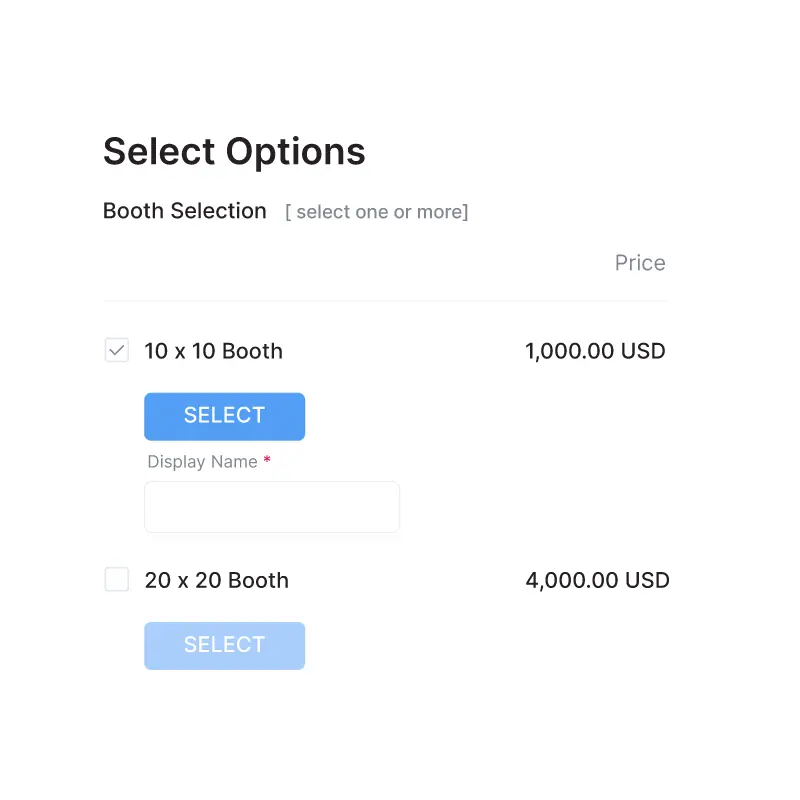
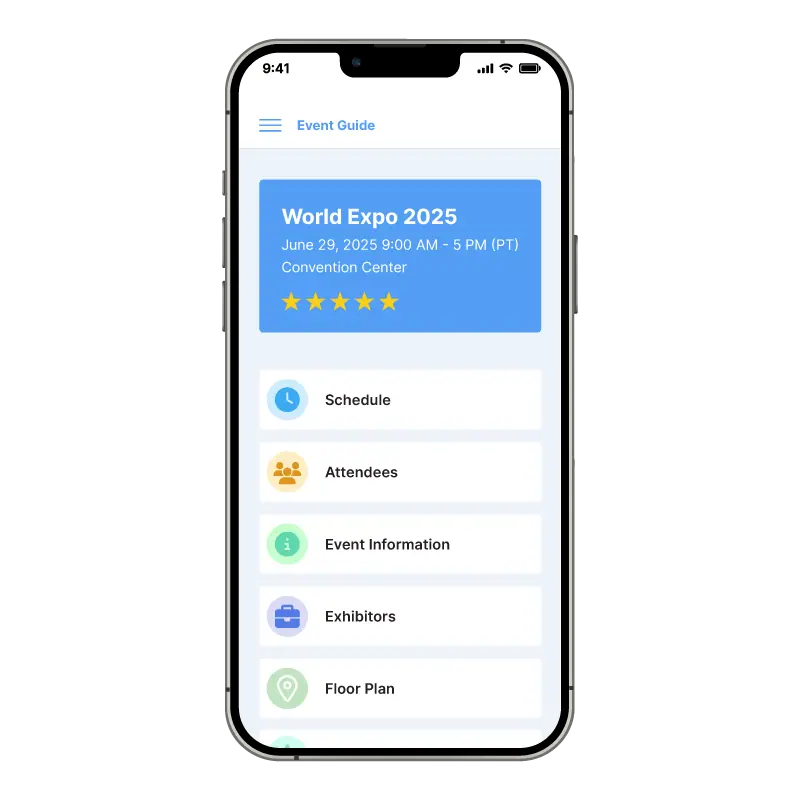
Images: Eventleaf.
- Price from
- Free (Starter, up to 100 attendees a year); paid from $500 a year (Basic, 500 attendees)
- Pricing
- Priced per attendee
- Free plan
- Yes
- Free trial
- Yes
Visit website (opens in a new tab) eventleaf.com
You can take registrations, print name badges at the door and check people into individual sessions with one account, and pay per attendee instead of signing a contract. Eventleaf suits associations, universities, schools and corporate teams running training days, conferences and small trade shows, especially where attendees need attendance credits or certificates. Jolly Technologies, which also makes the ID Flow badge software and the Lobbytrack visitor system, built it. It runs as a web portal alongside three mobile apps: one for check-in, one for attendees and one for exhibitor lead capture.
What it is for
The vendor organises its own material around four formats: conferences with tracked session attendance, paid workshops, meetings restricted to invitees or members, and trade shows where exhibitors book stands and scan leads. A how-to guide also covers using the check-in app on events whose tickets were sold through Eventbrite, which helps if you only need door management and badges.
Features
- Online registration
- Ticket and fee collection
- Badge design and printing
- Event and session check-in
- Self check-in kiosk
- Offline check-in
- CE/PDH credits and attendance certificates
- Attendee event app
- Live polls and Q&A
- Surveys and session feedback
- Gamification
- Exhibition booth sales on a floor map
- Lead retrieval app
- Abstract and proposal management
- Registration. Separate registration paths and forms for each attendee type; access limited to invitees, a guest list, an event password, email domains or a membership ID list; speaker, sponsor and exhibitor sign-up; group registration and waiting lists that notify people when places open.
- Payments. Ticket options with their own prices, availability dates and limits; discount codes with usage caps; partial payments; invoices for pay-later attendees; referral tracking links; 3D Secure card payments.
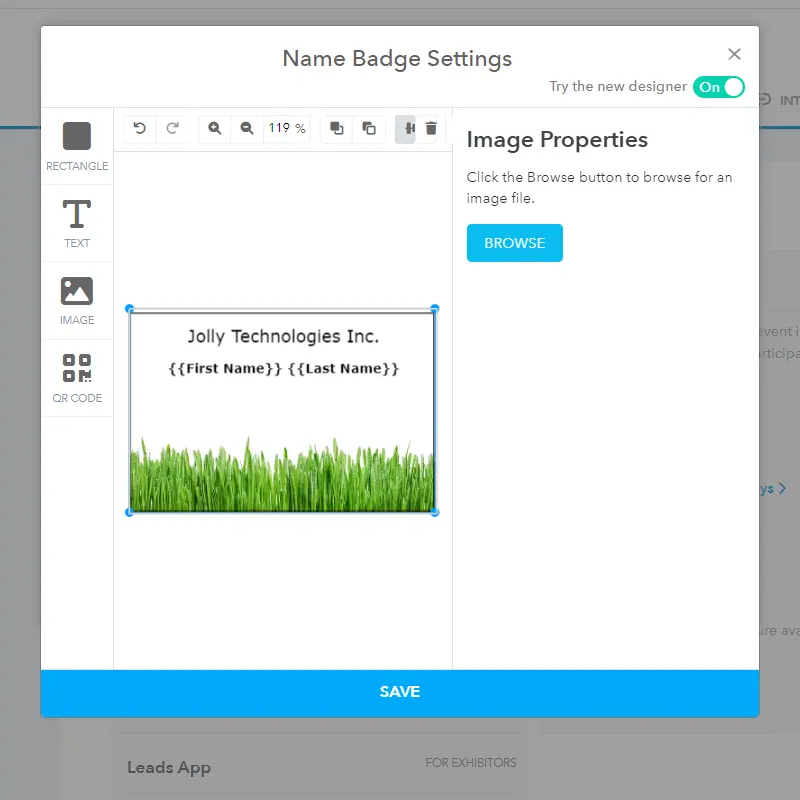
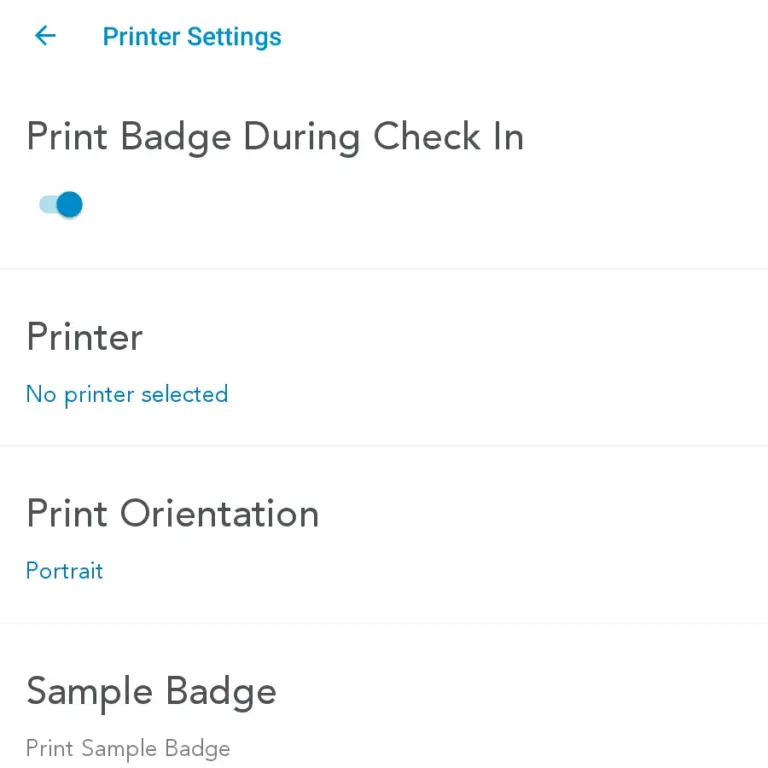
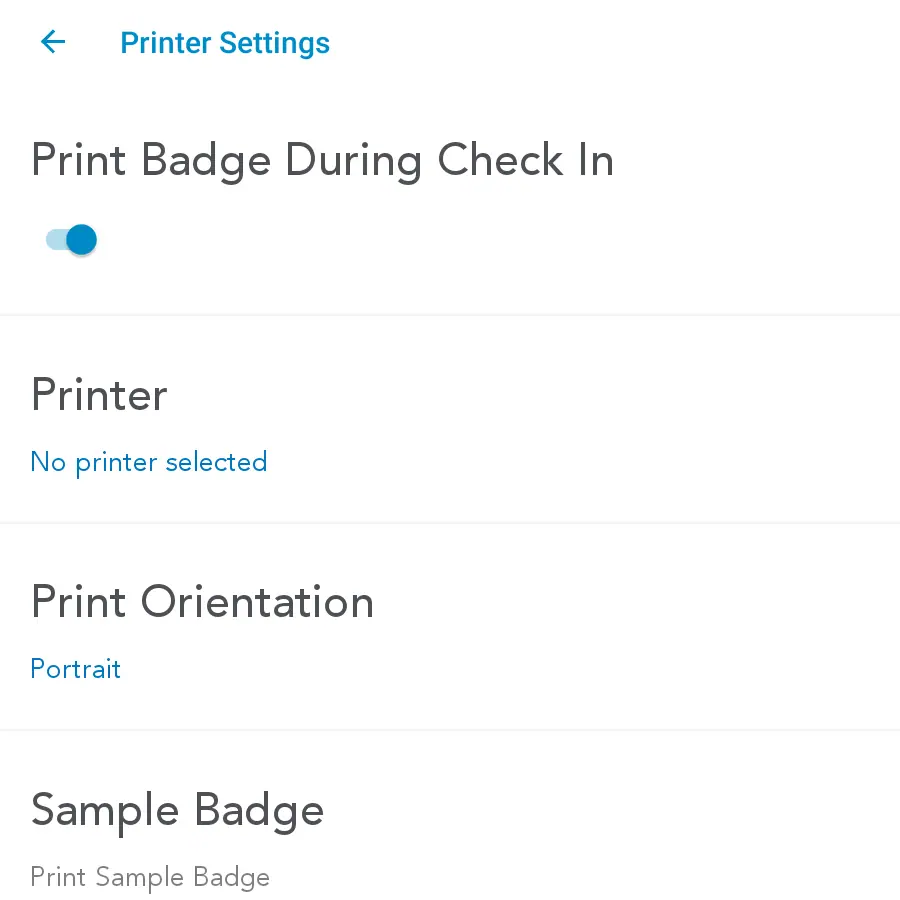
- Badges. A web badge designer with templates, QR codes and conditional elements (for example dietary notes), with a layout per registration type. Printing works in advance or on site, on labels or PVC cards, through Windows desktop printers, Apple AirPrint printers such as the Brother QL-820NWB, or Zebra Link-OS Wi-Fi printers such as the ZD420.
- Check-in. Name search or barcode scanning, session check-in and check-out, time logs for CE and PDH credits, PDF attendance certificates, digital signature capture for check-in agreements, self check-in kiosks and an offline mode. The check-in and leads apps each offer more than 20 interface languages, from Arabic to Turkish.
- Attendee app and portal. Agenda, speakers, exhibitors, push notifications, messaging, meeting requests, QR contact swapping, a social feed, moderated Q&A, live polls, session feedback, surveys and gamification with a leaderboard.
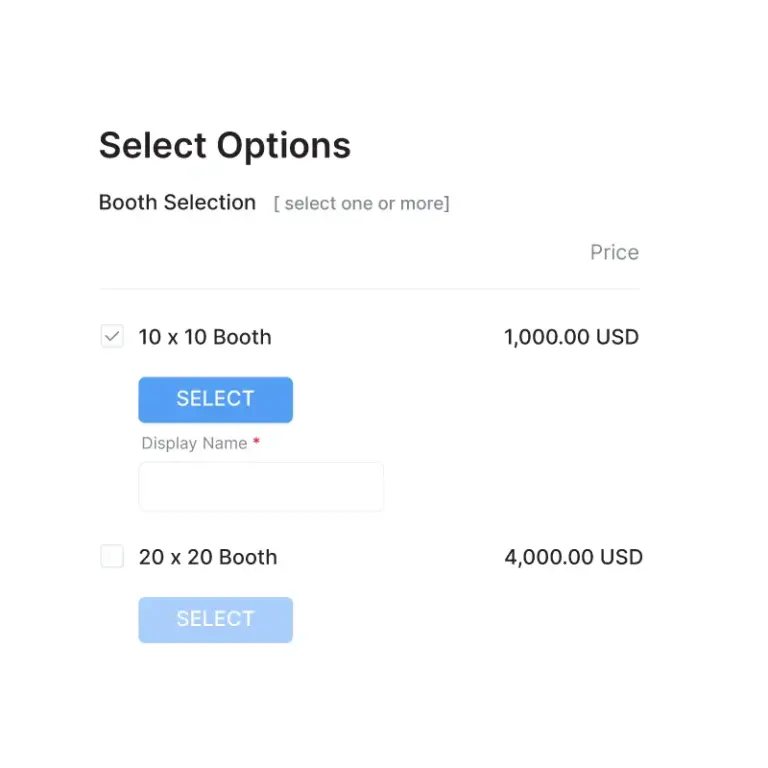
- Exhibitors and content. Stand booking on an interactive floor map with a price per stand size, a lead retrieval app that rates leads, adds notes and exports to CSV or Excel, and abstract and proposal submission with reviewers and scoring.
Plans and pricing
You pay for an annual attendee allowance rather than per event, and every plan states no contract. Above the allowance, Basic charges $1 and Professional $2 for each extra attendee.
| Plan | Price | Billing | Includes |
|---|---|---|---|
| Starter | Free | No contract | Up to 100 attendees a year, unlimited events and users, event website, registration and fee collection, badge design and printing, invitations, surveys, email support |
| Basic | $500 (500 attendees), $1,600 (2,000), $3,000 (5,000) | Annual fee; $1 per extra attendee | Starter features plus email and phone support |
| Professional | $2,000 (1,000 attendees), $6,400 (4,000), $12,000 (10,000) | Annual fee; $2 per extra attendee | Adds on-demand badge printing, event and session check-in, credits and certificates, the check-in app, the attendee app, live polls and Q&A, messaging, gamification |
| Ultimate | Call for price | Quote | Custom attendee number, lead retrieval app, abstracts, SSO, HubSpot, Marketo, Salesforce and Lobbytrack integrations, API and Zapier access, 24/7 priority support, on-site support |
Card sales carry a separate fee. With your own PayPal, Stripe or Authorize.Net account it is 3% on pay-as-you-go, falling to 2% above $100K a year, 1% above $500K and 0% on a custom plan. With Eventleaf’s own processor (USD only) the steps are 6%, 5%, 4% and 3%. Discounts for nonprofits and universities are by request. Prices as shown on its pricing page, checked 7 November 2026; the page says fees are non-refundable.
Free plan and trial
Starter stays free for up to 100 attendees a year, and sign-up asks for no card. Any event with fewer than 20 registrations gets every Ultimate feature, so you can test the lead retrieval app or abstracts on a small dummy event before paying.
Integrations and API
- Salesforce
- HubSpot
- Marketo
- Google Analytics
- Zoom
- GoToMeeting
- WebEx
- Microsoft Teams
- YouTube
- Vimeo
- Zapier
- Lobbytrack
- Okta
- Azure Active Directory
- PayPal
- Stripe
- Authorize.Net
- Eventbrite
Eventleaf’s integrations page names Salesforce (real-time attendee sync), HubSpot, Marketo, Google Analytics, Zoom, GoToMeeting and WebEx for virtual sessions, YouTube and Vimeo for recorded sessions, Zapier, a membership database check, and Lobbytrack for building access. Its hybrid events page also mentions Microsoft Teams. Single sign-on works with Okta and Azure Active Directory, and two-factor sign-in is built in. The pricing page places the CRM integrations, SSO, the API and Zapier on Ultimate.
Deployment and platforms
It is a cloud service hosted on Microsoft Azure, according to its security guide. The Eventleaf Guide attendee app is available for iOS, Android and Windows, and the check-in app runs on iOS, Android and Windows too. The security guide states PCI DSS 4.0.1 compliance audited by SecurityMetrics, EU-U.S. Data Privacy Framework participation, AES-256 encryption at rest and TLS 1.2 or 1.3 in transit. ISO/IEC 27001 is described as in progress, not held.
Company
Jolly Technologies Inc. owns Eventleaf and lists its address as Redwood City, California. Its about page says Eventleaf started in 2012 as a desktop tool for on-site registration and badging and moved to the current cloud version in 2015.
What to check before buying
- Count attendees across the whole year, not per event. Going over the Basic or Professional allowance adds $1 or $2 per head.
- Session check-in, credits, certificates and the attendee app start at Professional. Starter and Basic cover registration and badges only.
- Lead retrieval, abstracts, SSO, the API and the Salesforce, HubSpot and Marketo connectors need Ultimate, which has no published price.
- Compare the card fee ladder. On pay-as-you-go, Eventleaf’s processor costs 6% against 3% on your own account, and only your own account allows currencies other than USD.
- Email, SMS and API use is capped (for example SMS at twice the annual attendee limit), and the terms say Jolly need not return your data after an account is cancelled, so export reports first.
- For on-site printing, confirm your printer is one of the supported AirPrint, Zebra Link-OS or Windows models.
Eventleaf pricing
What Eventleaf publishes about its pricing, checked on its own pricing page. Prices change, so confirm the current terms with Eventleaf before you buy.
| Pricing model | Priced per attendee |
|---|---|
| Published starting price | Free (Starter, up to 100 attendees a year); paid from $500 a year (Basic, 500 attendees) |
| Free plan | Yes |
| Free trial | Yes |
Annual attendee allowance, no contract. Basic $1 and Professional $2 per attendee above the allowance. Registration sales fee: own processor (PayPal, Stripe, Authorize.Net) 3% pay-as-you-go, 2% at $100K+/yr, 1% at $500K+/yr, 0% custom; Eventleaf processor (USD only) 6%, 5%, 4%, 3%. All Ultimate features free on events under 20 registrations; no credit card to sign up. Nonprofit and university discounts on request. Fees non-refundable.
Source: eventleaf.com, checked 7 November 2026.
Alternatives to Eventleaf
Other directory profiles that do the same job as Eventleaf, closest matches first.
- Eventmaker
- Accelevents
- Bizzabo
- Validar
- Zoho Backstage
- EventMobi, also listed for event apps and networking platforms
Compare every listed option in event ticketing and registration software and lead retrieval apps and badging tools.
Related on Event Tech News
- Badging and lead retrieval, other badge printing and lead capture tools.
- Registration and ticketing, the wider registration category.
- Cvent, which Eventleaf positions itself against on its own site.
- Eventdex, another registration platform with badge printing and check-in.
- RegFox, registration and badging with its own payments.
- Zoho Backstage, registration plus badges inside a wider software suite.
- Accelevents, registration, badges and lead retrieval for conferences.
- ExpoFP, if you need a fuller floor plan tool for stand sales.
- Comparing lead retrieval and badge scanning, for exhibitor lead capture choices.
- How pretixSCAN handles offline check-in, useful background on offline door scanning.
- Choosing event registration software, a buying checklist.
Sources: eventleaf.com pricing, eventleaf.com integrations, check-in app, badge printing, payments, security guide, about us, terms of service, checked 7 November 2026.
Certifications and memberships
- PCI DSS 4.0.1
- EU-U.S. Data Privacy Framework (with UK Extension)
About Eventleaf
- Founded
- 2012
Details from Eventleaf’s own published information (source: eventleaf.com, checked 7 November 2026).