
EnVivo Tickets offers managed ticketing setup, general admission and reserved seating, and VIP access and ticket tiers.
Photos of EnVivo Tickets
See all 5 photos
Images: EnVivo Tickets.
- Pricing
- Quote on request
- Free plan
- No
- Free trial
- No
Visit website (opens in a new tab) envivotickets.com
You get your ticket sales built, launched and supported by a bilingual team, so your venue or production staff do not have to configure a ticketing system or answer buyer emails themselves. EnVivo Tickets is a managed ticketing and event marketing service from South Florida that works with venues, event producers and production companies running concerts, theatre, comedy, festivals, nightclub nights and sporting events across the continental United States.
What it is for
EnVivo suits organisers who would rather hand over the ticketing operation than run a self-service tool. Asked whether it is a self-service platform, it answers that it offers managed onboarding: you start with a call, its team prepares the ticketing, and you approve the setup before sales open. Its site describes four stages, from agreeing dates, ticket categories, seating and approvals, through setup and on-sale, to sales support and a post-event review of paid and complimentary tickets, fees, refunds and adjustments for each date. Because buyer enquiries go to EnVivo and are answered in English or Spanish, it is a practical fit if your audience is bilingual.
Features
- Managed ticketing setup
- General admission and reserved seating
- VIP access and ticket tiers
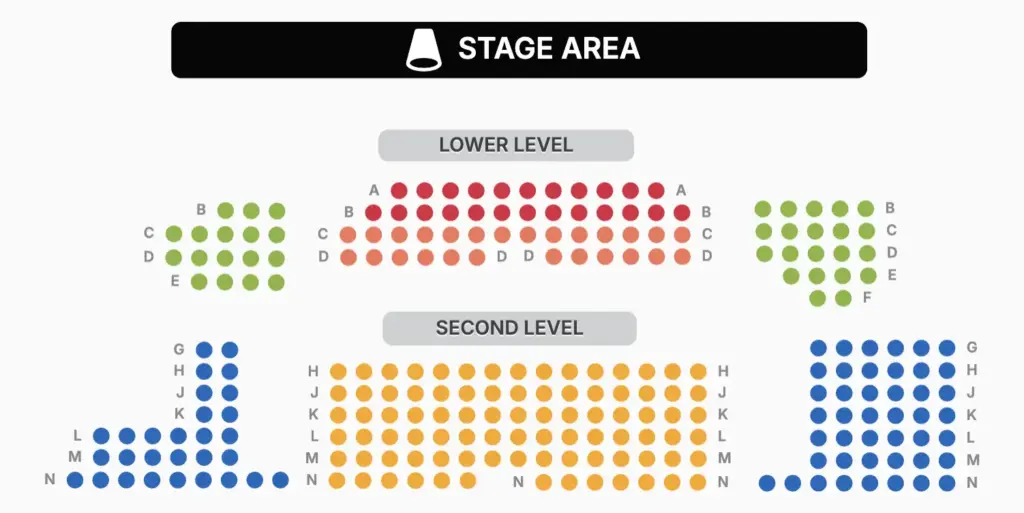
- Custom seating charts
- Stadium, arena and grandstand seating charts for sporting events
- Nightclub table and bottle-package presales
- Ticketing widget for your website
- Mobile checkout with Apple Pay
- Apple Wallet and Google Wallet tickets
- Optional text reminders
- E Scan ticket scanner app for door staff
- Guest lookup and arrivals by ticket type at the door
- Organiser sales and revenue reports
- Bilingual ticket-buyer support (English and Spanish)
- Event websites and landing pages
- Email marketing
- Branding, creative, merchandise and signage
- Ticket types: general admission, reserved seating, VIP access, ticket tiers and hybrid layouts that mix seats, tables and standing areas.
- Custom seating charts: theatre orchestra and balcony layouts with sections, rows and seat numbers, stadium, arena and grandstand plans (including temporary seating) for sporting events, nightclub tables, cabaret and banquet rounds, and mixed reserved and general admission rooms, built from your floor plan and reviewed with you before sales open.
- Nightclub presales: tables, bottle packages, VIP areas and other packages, with you setting the contents, group size, price and admission terms.
- Sales routes: a branded event page, a ticketing widget on your own website, or an event page on EnVivo’s site (an add-on).
- Buyer checkout: mobile seat or table selection, Apple Pay on compatible devices, tickets emailed once payment clears and saveable to Apple Wallet or Google Wallet.
- Optional text reminders that buyers choose at checkout, priced by you and shown before purchase.
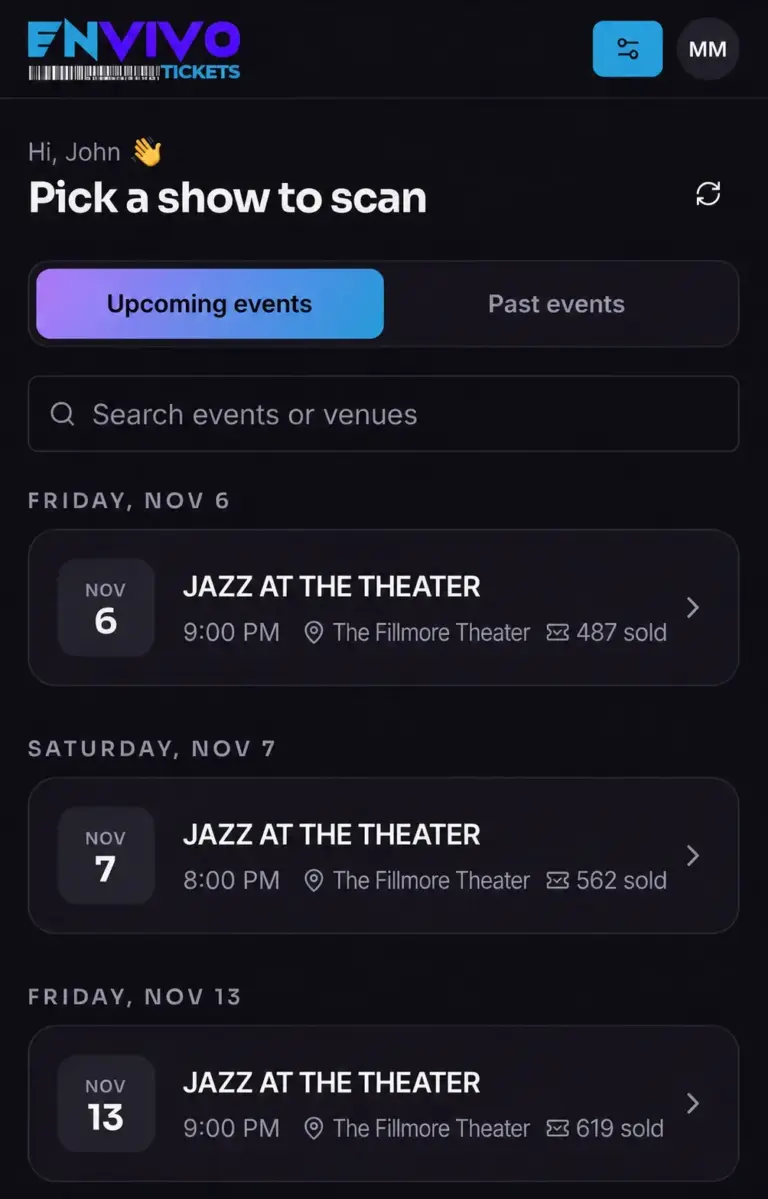
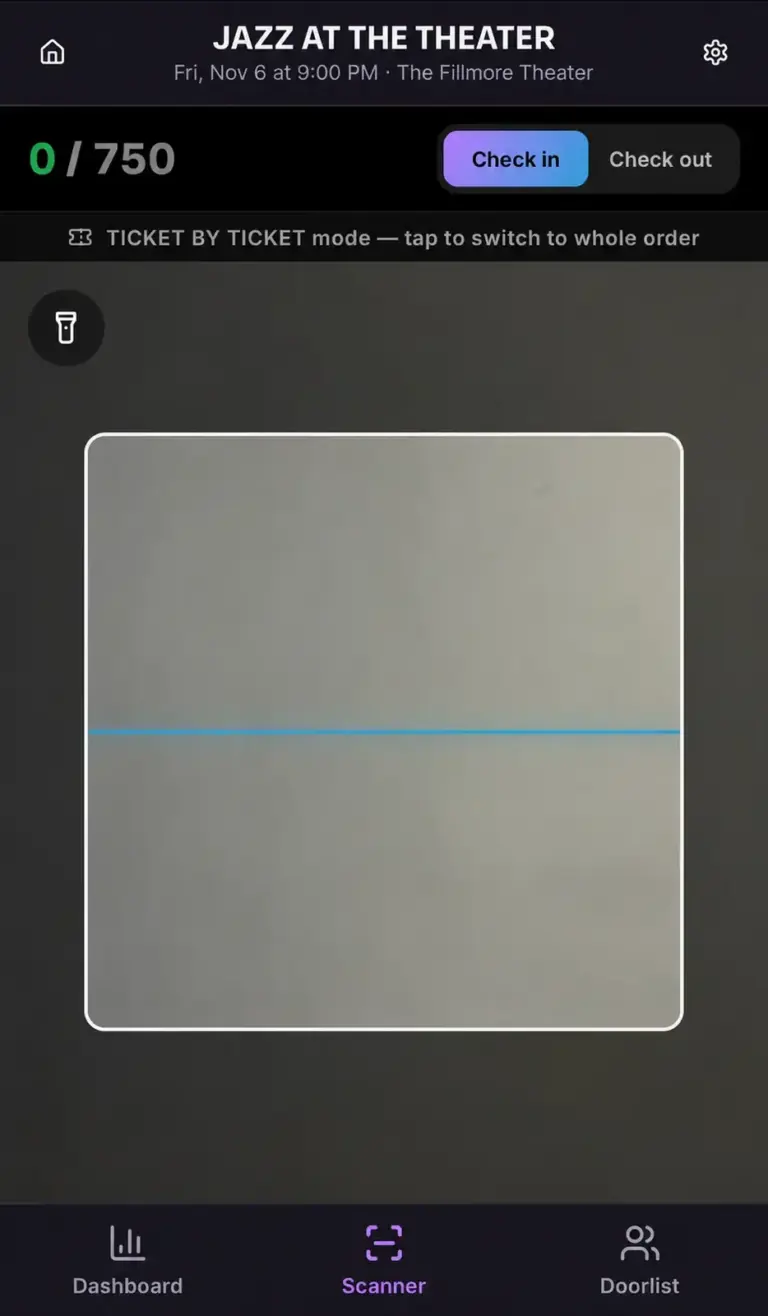
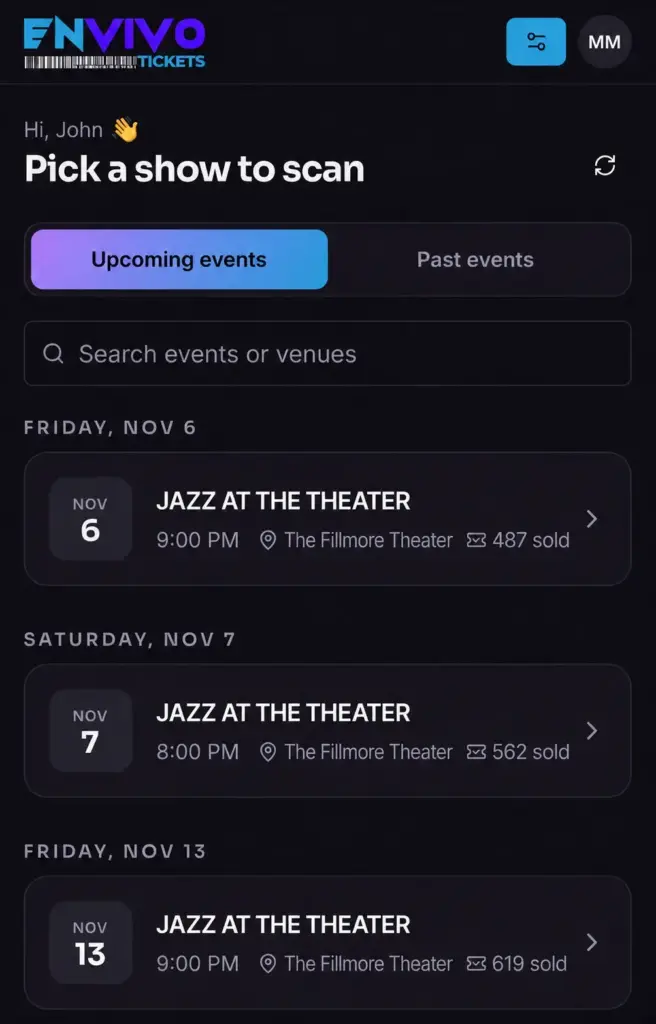
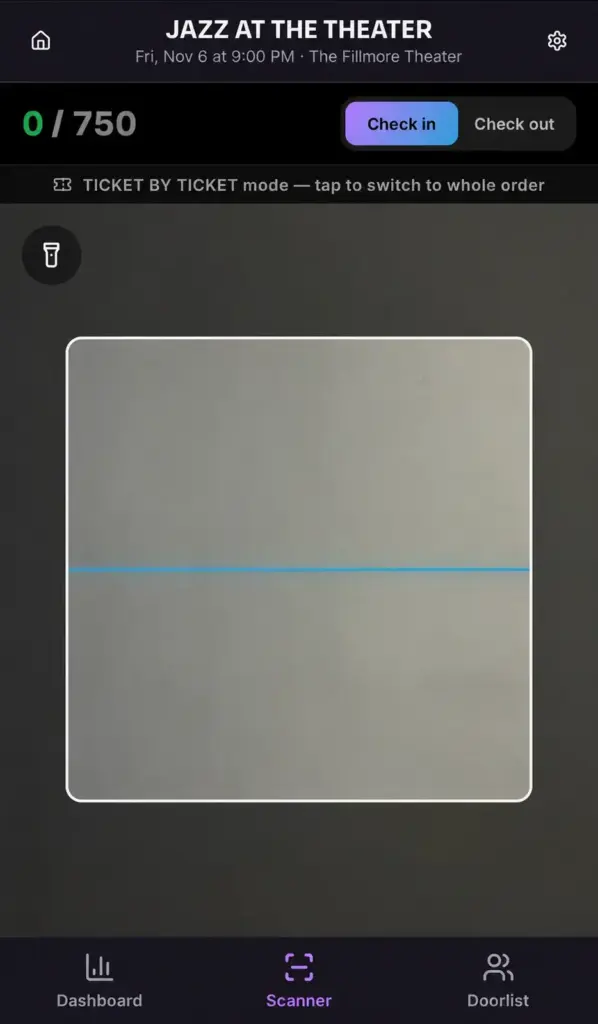
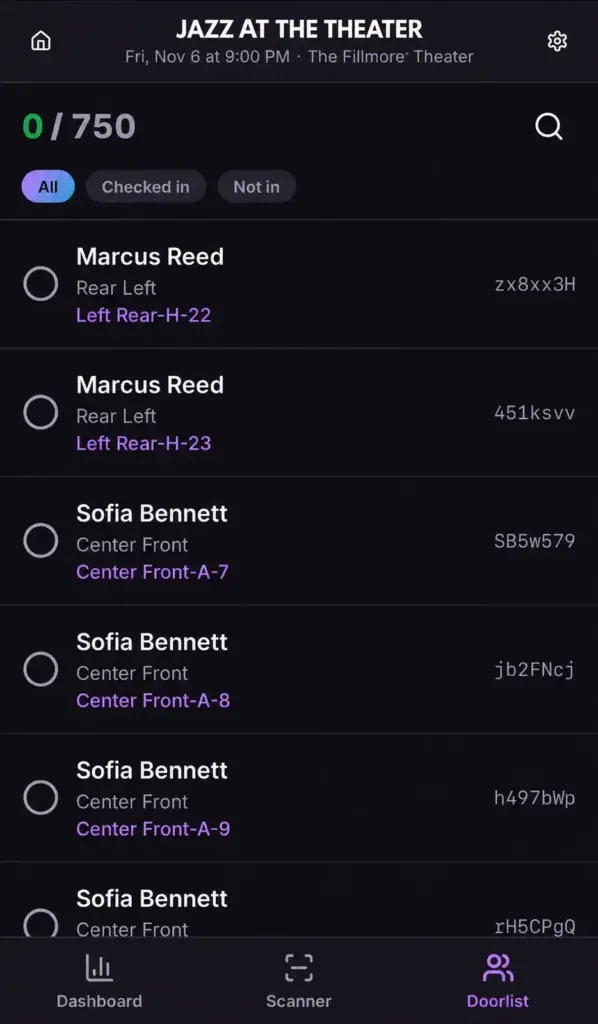
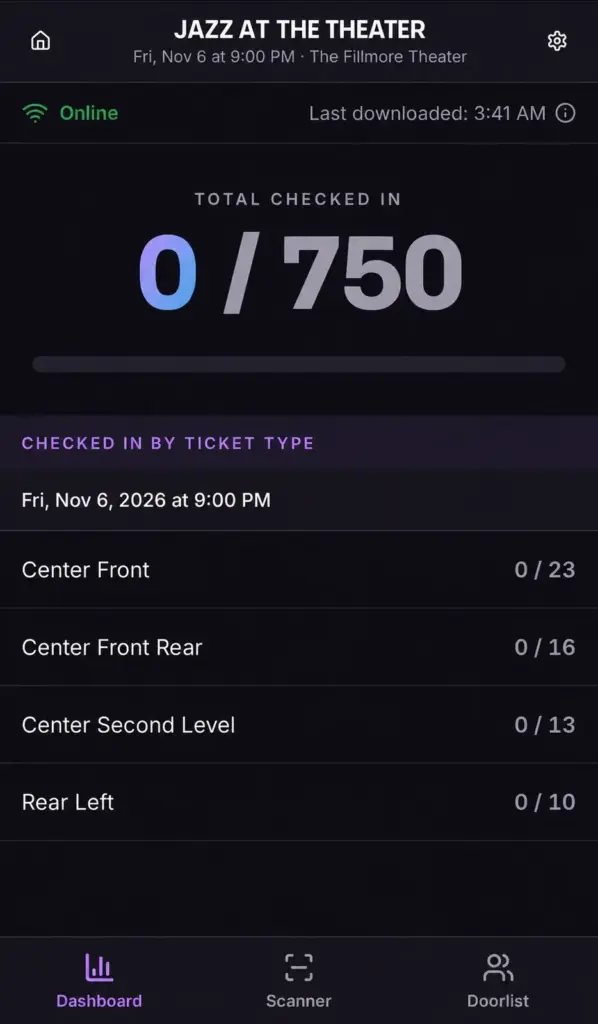
- Door check-in: E Scan, EnVivo’s ticket scanner app, lets several door staff scan tickets for the same event at once, each on a mobile device at their own entrance. Staff pick the performance, scan a code and see the result before letting someone in, look a guest up by name to confirm their seat, and follow arrivals by ticket type.
- Reporting: an invitation-only organiser login showing sales, revenue and reports for your assigned events.
- Ticket-buyer customer service in English and Spanish, handled by EnVivo.
Plans and pricing
You avoid paying for a fixed software tier you might not use, because EnVivo prices each event as a proposal. The proposal sets out the ticketing fees and the price of every add-on you choose; no fees or figures appear anywhere on its site. Payouts are transferred within days of your event ending, it says, on a schedule agreed during onboarding; bank processing, account checks and any refund or dispute adjustments can change when the money arrives. Add-ons, each with its own scope and price, include event websites and landing pages, email campaigns (on-sale, reminder and last-call), branding and promotional creative, custom merchandise, on-site signage and props, door staffing, and Meta Ads, TikTok Ads and Google Analytics tracking with reporting. Checked on its services page and FAQ on 7 November 2026, when neither showed any price or fee.
Free plan and trial
There is no free plan and no trial. Because setup is done by EnVivo’s team, the starting point is a proposal request through its contact form or by email.
Integrations and API
- Meta Ads tracking
- TikTok Ads tracking
- Google Analytics
- Apple Pay
- Apple Wallet
- Google Wallet
The integrations EnVivo names are the advertising and analytics tools it can set up for a campaign: Meta Ads tracking, TikTok Ads tracking and Google Analytics. It notes that tracking depends on the agreed campaign, website, checkout setup and privacy choices. Payments at checkout support Apple Pay, and tickets go to Apple Wallet and Google Wallet. It publishes no API, webhooks, CRM connectors or Zapier support.
Deployment and platforms
Everything runs online. Buyers purchase on hosted event sales pages (EnVivo uses an events.envivotickets.com subdomain) or through a widget on your site, on any mobile device. Organisers see their events through a web login that EnVivo grants by invitation, and door teams check guests in with the E Scan scanner app on mobile devices. EnVivo does not say which phones or operating systems E Scan runs on, and it has no listing under its own name on Apple’s App Store. It publishes no hosting region or security certifications.
Company
EnVivo Tickets describes itself as a Florida-based online event ticketing provider operating across the continental United States, with a team based in South Florida. It publishes an email address ([email protected]) but no street address, phone number, founding year or parent company.
What to check before buying
- Ask for the ticketing fees in writing and whether they are charged to buyers, deducted from your payout or both; the site only says your proposal sets them out.
- Pin down what “within days” means for your payout, since the exact schedule is agreed at onboarding and refunds or disputes can delay it, and check who sets refund terms for each event.
- Confirm whether a custom seating chart carries its own setup charge; its seating page says chart scope and pricing are in the proposal.
- Decide how buyers will reach checkout (your site, a landing page or an EnVivo event page), as the EnVivo page is listed as an add-on.
- Ask which devices E Scan needs and whether your own door staff or EnVivo’s door staffing add-on will run it, since the scanner page names no supported phones.
- Ask how you get sales and buyer data out, since the organiser login is the only reporting tool it describes and no export or API is published.
EnVivo Tickets pricing
What EnVivo Tickets publishes about its pricing, checked on its own pricing page. Prices change, so confirm the current terms with EnVivo Tickets before you buy.
| Pricing model | Quote on request |
|---|---|
| Free plan | No |
| Free trial | No |
EnVivo publishes no fees; ticketing fees and the scope and price of each add-on are set out in a proposal for each event. Payouts are transferred within days after the event on a schedule agreed at onboarding.
Source: envivotickets.com, checked 7 November 2026.
Alternatives to EnVivo Tickets
Other directory profiles that do the same job as EnVivo Tickets.
- VenueStack Verified
- Zoho Backstage, also listed for lead retrieval apps and badging tools
- RainFocus, also listed for AI event management and data tools
- Swapcard, also listed for event apps and networking platforms
- Eventeny, also listed for event floor plan software
- EventMobi, also listed for event apps and networking platforms and lead retrieval apps and badging tools
Compare every listed option in event ticketing and registration software.
Related on Event Tech News
- Registration and ticketing, the full category this listing sits in.
- Eventbrite, a self-service ticketing route if you want to run sales yourself.
- Ticket Tailor, another self-service option to set against a managed service.
- TicketSpice, self-service ticketing to compare on fees and setup effort.
- VenueStack, a ticketing listing aimed at venues to compare with EnVivo’s venue focus.
- TicketSource, another ticketing listing to weigh against a managed service.
- pretix, another ticketing listing to compare on how much setup you do yourself.
- Hi.Events, another ticketing listing in the same category.
- Choosing event registration software, our guide to the questions to ask any ticketing supplier.
- Checking event software accessibility, useful for reviewing a mobile checkout before launch.
Sources: envivotickets.com, envivotickets.com services, envivotickets.com FAQ, envivotickets.com seating charts, envivotickets.com approach, envivotickets.com terms, envivotickets.com sporting events, envivotickets.com event organisers, envivotickets.com ticket scanner app, checked 7 November 2026.
Details from EnVivo Tickets’ own published information (source: envivotickets.com, checked 7 November 2026).