
QLab is based in Baltimore, United States, and offers audio cue playback, multi-channel audio routing and object audio.
Photos of QLab
See all 5 photos
Images: QLab.
- Price from
- $599 one time, or $8 per day
- Pricing
- One-off licence
- Free plan
- Yes
- Free trial
- Yes
Visit website (opens in a new tab) qlab.app
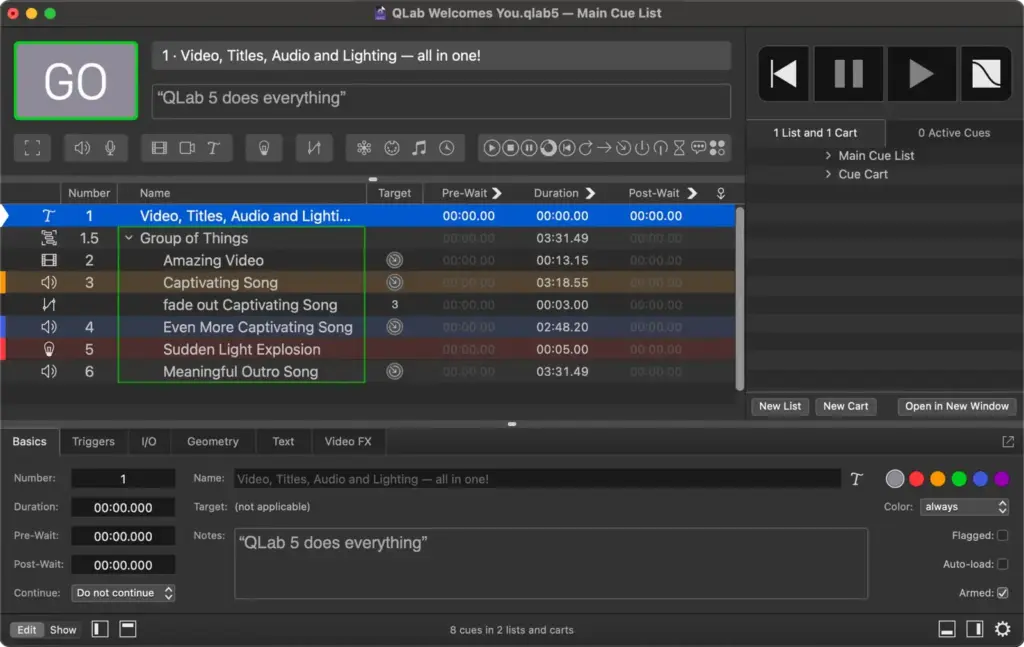
You can run a whole show’s sound, video and lighting from one Mac by pressing a single GO button, instead of juggling separate playback tools for each department. You can start for nothing, then rent paid features only for the days you need them. It suits theatre crews, event AV technicians and producers who already work on a Mac and want every cue in one running order. QLab comes from Figure 53, and the manual describes it as live media playback and show control software that borrows its conventions from theatre, broadcast and cinema.
What it is for
You get one place to build and fire every cue, so a walk-in track, a projected title and a lighting change can leave together on one press. Figure 53’s examples range from a thunderclap in a school play to 128 outputs feeding a custom speaker array, and from full-screen video to projection mapping. On its company site it says QLab is used in more than 100 countries, at venues from Olympic opening ceremonies to community theatres. Its handbook also names bands, churches and gallery shows.
The published feature chart has no RTMP or streaming platform entry, so plan on a separate tool if the show also goes out online.
Features
- Audio cue playback
- Multi-channel audio routing
- Object audio
- Video and projection playback
- Masking and edge blending
- Lighting control over DMX
- Network, MIDI and Timecode cues
- Multi-user collaboration on a local network
- iOS remote control with QLab Remote
- OSC and AppleScript scripting
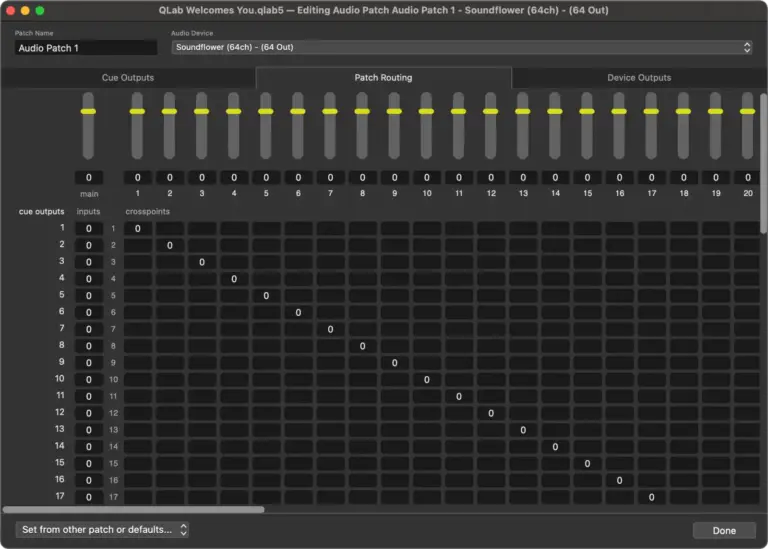
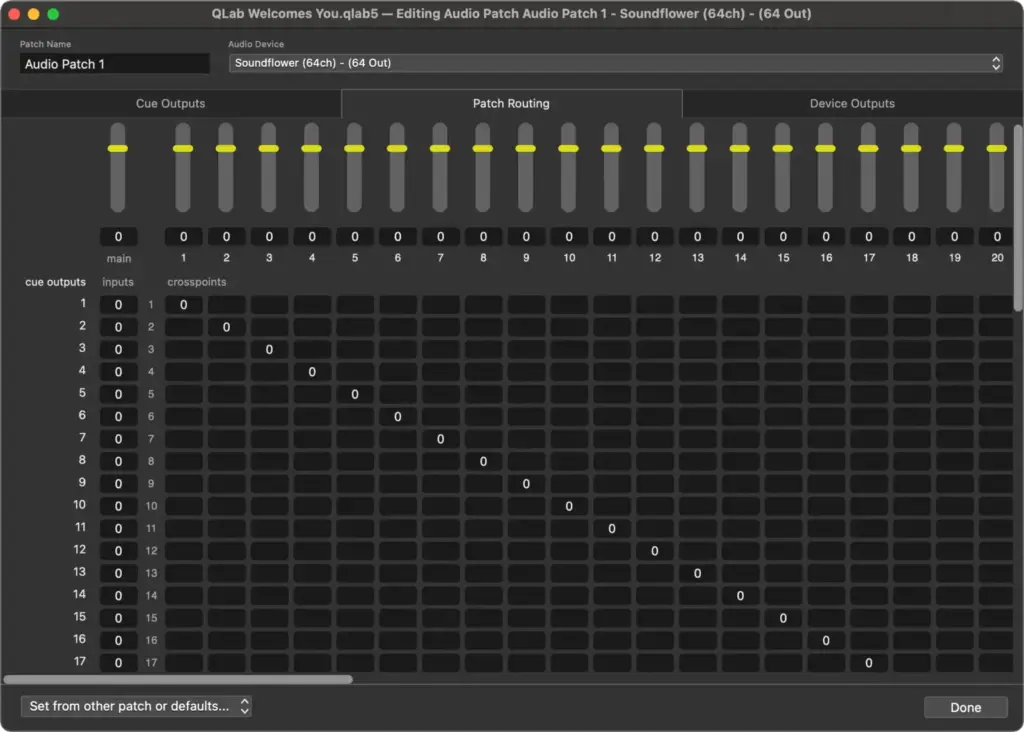
- Audio. Waveform view, slices and sample-accurate playback sync come free. The Audio licence adds 128 output channels, 24 channels per file, output routing, effects, Mic cues and object audio, which arrived in QLab 5.5 and lets you mix on a visual map.
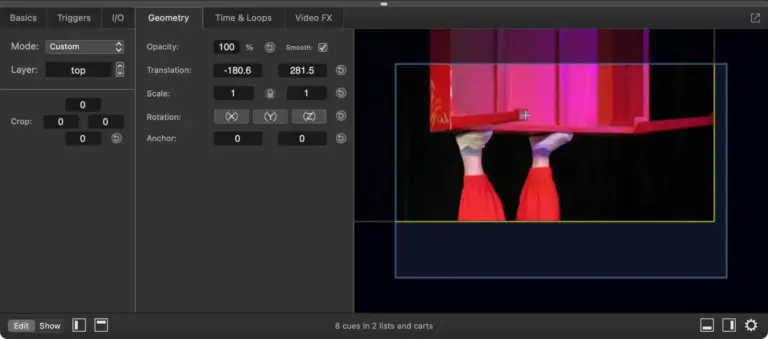
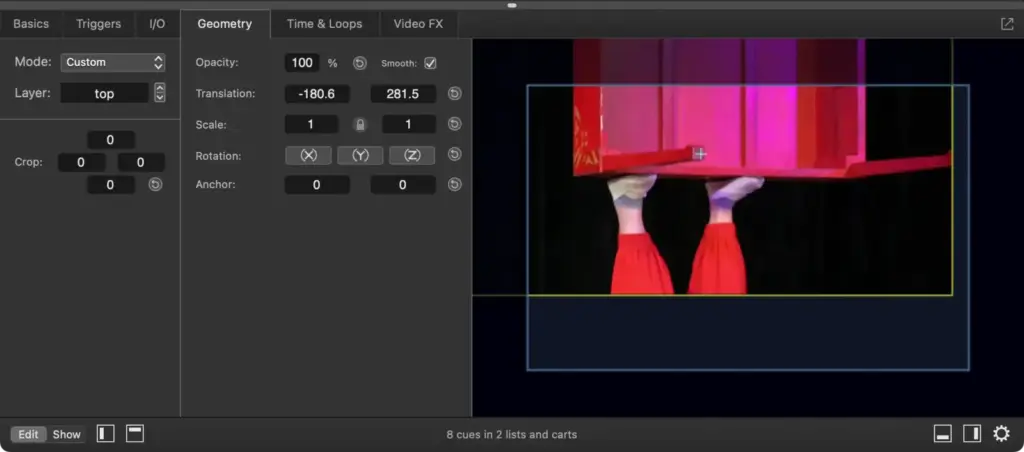
- Video. Up to 1,000 layers and full-stage cues come free. The Video licence adds unlimited stages, custom geometry, video fades and effects, masking and edge blending, warping and keystone correction, per-cue blend modes, and Camera and Text cues.
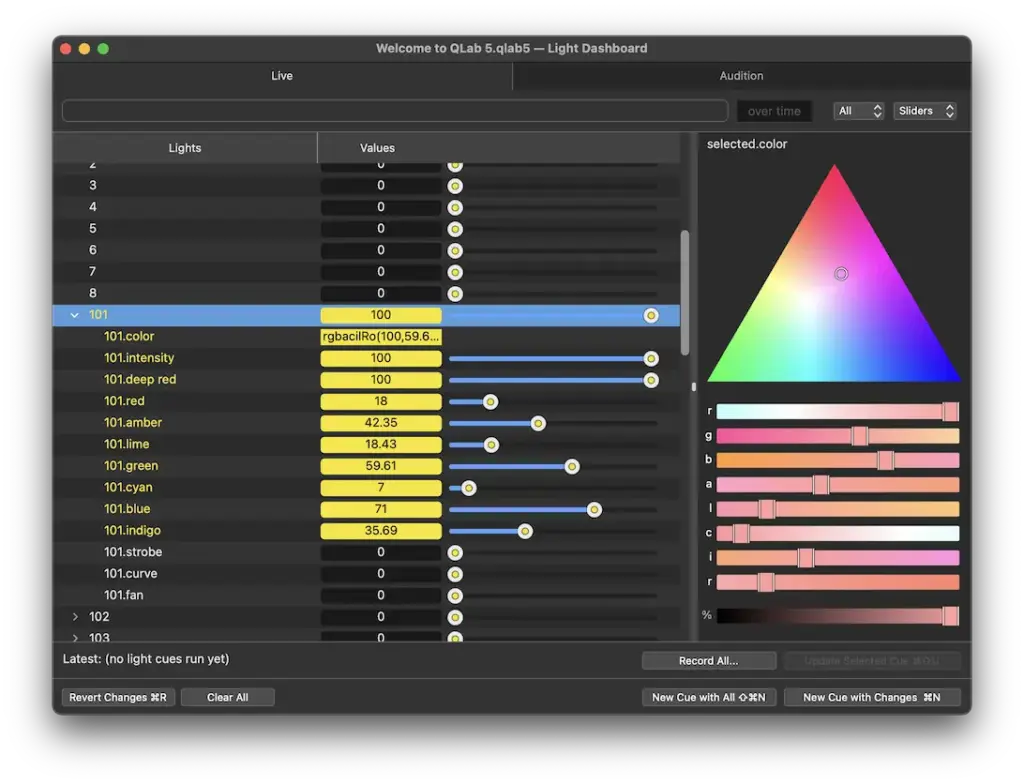
- Lighting. Light cues, a Light Dashboard, graphical colour pickers and a library of hundreds of instrument definitions, which you can add to. Without a Lighting licence you can patch 16 DMX addresses. With one the limit is lifted, subject to what your Mac and hardware can handle.
- Collaboration. Several Macs can work on one workspace over a local network, with separate view, edit and control permissions, so a stage manager can follow along without being able to fire anything.
- Workflow. Unlimited cue lists and cue carts, autosave with optional snapshots, automatic backups, media logging and live fade previews are all free. Group cues also have a playlist mode with crossfades, shuffle and looping.
- Any paid licence. Network, MIDI, MIDI File and Timecode cues, timecode triggers, and Pause, Devamp, Target, Arm and Disarm, and Script cues.
Plans and pricing
You pay once and keep what you buy, or pay by the day for a single job, with no subscription on the standard licences. Each one counts how many of the three feature sets (audio, video, lighting) you pick. Every paid licence includes the free features.
| Plan | Price | Billing | Includes |
|---|---|---|---|
| Free | $0.00 USD | No charge | 2 audio outputs, 1 single-output video stage, 16 patchable DMX addresses, unlimited cue lists |
| One Feature Set | $599, or $8 per day | One time, or rent-to-own by the day | Audio, Video or Lighting, on up to two computers |
| Two Feature Sets | $1099, or $12 per day | One time, or rent-to-own by the day | Any two feature sets, on up to two computers |
| Full-Featured | $1399, or $15 per day | One time, or rent-to-own by the day | Audio, Video and Lighting, on up to two computers |
| Site licence | $299 per activation | Electronic invoice, minimum 10 activations | One feature set per activation, one campus or location |
Prices as shown on its shop page and bulk pricing page on 4 November 2026, in US dollars. The shop says a purchase also earns discounts on future major versions.
Students, teachers and accredited schools can apply for educational pricing, which needs proof of status. Standard educational licences cost $479, $899 or $1119 for one, two or three features, or $6, $9 or $12 per day to rent. Educational site licences with all three features are $349 per activation with a minimum of 10, and an unlimited site licence is $349 per month or $3499 per 12-month period.
Free plan and trial
You can build and run a simple show without paying. To try everything else, Demo Mode opens a new workspace with all licensed features for 60 minutes. Copying cues and settings into that workspace is disabled, and the licensed features lock again once the time runs out or the workspace is saved, closed and reopened.
Integrations and API
- Dante
- AVB
- NDI
- Syphon
- Blackmagic devices
- Art-Net
- USB DMX
- OSC
- MIDI
- MIDI Show Control (MSC)
- Timecode
- AppleScript
- Elgato Stream Deck
You can tie QLab into the rest of your rig without replacing it. Figure 53 documents these connections.
- Audio. Any macOS-compatible audio interface, plus Dante, AVB and NDI network audio.
- Video. NDI and Syphon input and output, and Blackmagic device input and output, all on the Video licence.
- Lighting. DMX over Art-Net or USB.
- Show control. OSC, MIDI, MIDI Show Control and timecode, with show status broadcast over MSC and OSC.
- Scripting. A published OSC dictionary and an AppleScript dictionary, with Script cues on any paid licence.
- Control surfaces. An official plugin for the Elgato Stream Deck range.
Deployment and platforms
A show can run with no internet connection, because a licensed copy does not need one once its licence is installed, and you can carry a licence on a USB drive. QLab is a desktop application for macOS 11 or later on Apple Silicon or Intel, and the current version is 5.6.5, released on 28 October 2026. There is no Windows version, and QLab itself will not run on an iPhone or iPad.
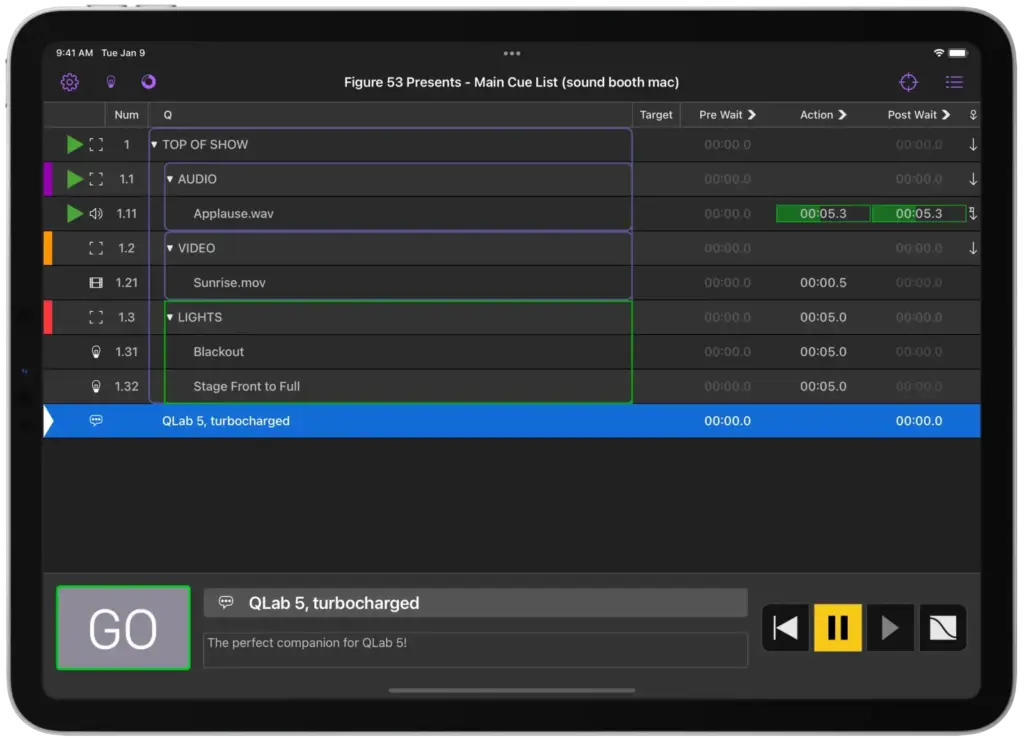
QLab Remote, the iOS companion, needs iOS 15 or later and connects over Wi-Fi or USB. Following a workspace, flagging cues and editing notes are free in read-only mode, while running cues and editing them needs its Show Control & Editing in-app purchase. QLab’s site lists no security certifications, and its manual describes keeping workspaces and media on your Mac or an external drive.
Company
You buy directly from the people who build it, and Figure 53 offers free email support on weekdays from 9am to 7pm US Eastern time, typically replying within an hour by its own account. It does not offer phone or chat support. Figure 53, LLC says it was founded in 2006 and describes a team of 20 headquartered in Baltimore, Maryland, USA. It also makes the Go Button iOS playback app and runs The Voxel, a performing arts lab.
What to check before buying
- Your Mac. Figure 53 advises against most Intel Macs for video work. It treats 4 GB of memory as the minimum for the simplest shows and 8 GB for anything of middling complexity, so test your real media early.
- Which feature set your show needs. Free QLab has no video fades, audio routing or Network cues, so check the features by licence chart against your cue list rather than the licence names.
- Rent or buy. Rental spend becomes store credit once each day ends. At $8 a day, it takes 75 rental days to cover a $599 licence. Store credit only buys standard licences, and it cannot pay for more rentals.
- Two activations. A main and a backup Mac use up one licence. Each licence on the primary Mac also lets just one unlicensed Mac connect with more than view access, and all collaborating Macs must share a local network.
- How you pay. Figure 53 does not accept purchase orders or complete vendor paperwork. Its educational policy adds a $40 processing fee for bank transfers and cheques, and a licence is released only when the money arrives.
- Stream Deck access. The plugin talks to QLab over OSC and cannot send a passcode for now, so you must allow passcode-free OSC for the actions you use.
QLab pricing
What QLab publishes about its pricing, checked on its own pricing page. Prices change, so confirm the current terms with QLab before you buy.
| Pricing model | One-off licence |
|---|---|
| Published starting price | $599 one time, or $8 per day |
| Free plan | Yes |
| Free trial | Yes |
Prices in US dollars. Demo Mode gives all licensed features for 60 minutes. Rental spend becomes store credit towards standard licences. Educational pricing and site licences are also published.
Source: qlab.app, checked 4 November 2026.
Alternatives to QLab
Other directory profiles that do the same job as QLab.
- Virtual PRO, also listed for event apps and networking platforms
- Airmeet, also listed for AI event management and data tools
- Zoom Events
- StreamYard
- ON24, also listed for AI event management and data tools
- Remo, also listed for event apps and networking platforms
Compare every listed option in live streaming software for events.
Related on Event Tech News
- AV and streaming directory, for the wider set of production and streaming tools.
- vMix, Windows vision mixing software that accepts NDI sources, which QLab can publish.
- OBS Studio, free streaming and recording software for sending the show online.
- Wirecast, Mac and Windows streaming software that can take NDI feeds.
- Ecamm Live, another Mac-only option, for live streams rather than cue playback.
- Blackmagic Design, a video hardware maker. QLab’s Video licence supports Blackmagic device input and output, so confirm your model.
- Bitfocus Companion, for running a Stream Deck across several pieces of show equipment.
- Stagetimer, countdown timers for presenters, with NDI output for production software.
- Where OBS Studio fits in an event streaming setup, for planning the online side.
- Blackmagic UltraStudio Express HD, a report on SDI capture and playback for USB4 laptops.
Sources: qlab.app, overview, shop, bulk pricing, educational pricing, FAQ, features by licence, licences, system recommendations, collaboration, Stream Deck, QLab Remote, download, figure53.com, team, contact, checked 4 November 2026.
About QLab
- Founded
- 2006
- Team size
- 20
Details from QLab’s own published information (source: qlab.app, checked 4 November 2026).
Where to find QLab
Map loads here.
2443 Maryland Avenue, Baltimore, MD 21218, United States
View a larger map (opens OpenStreetMap in a new tab) Get directions (opens OpenStreetMap in a new tab)