

TixFox offers online ticket sales, ticket tiers and sale windows, and add-ons.
Photos of TixFox
See all 4 photos
Images: TixFox.
- Price from
- $0.29 per paid ticket with credits; $0.39 pay as you sell ($0.30 under $5); $0 on free tickets
- Pricing
- Fee per ticket sold
- Free plan
- Yes
- Free trial
- No
Visit website (opens in a new tab) tixfox.co
You sell tickets without giving up a percentage of each sale, and you pay nothing when the tickets are free. The charge is $0.39 per paid ticket ($0.30 under $5), with no monthly fee or contract, and the money reaches your own Stripe account instead of sitting in a platform wallet. TixFox says it is built for independent organisers, nonprofits and small venues, and its pages cover festivals, fairs, concerts, museums and farm events.
What it is for
You can run one-off, recurring, timed and online events from one account, then sell and scan at the door on a phone instead of renting hardware. Weekly classes and seasonal runs fit its recurring tools, where buyers pick a date and time from a calendar. TixFox names the Richmond Tattoo & Arts Convention as a customer selling three days of tickets on the platform.
Features
- Online ticket sales
- Ticket tiers and sale windows
- Add-ons
- Donations at checkout
- Pay-what-you-can pricing
- Discount codes and buy-X-get-Y offers
- QR check-in app
- Tap to Pay and cash door sales
- Check-in assistants
- Team roles
- Apple and Google Wallet tickets
- Recurring and timed-entry events
- Private passcode events
- Live sales analytics
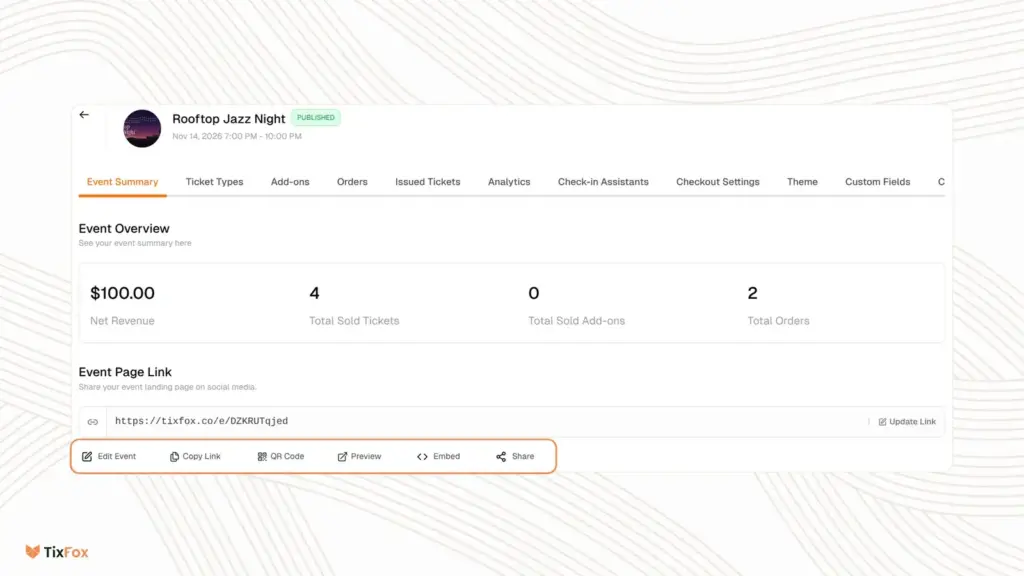
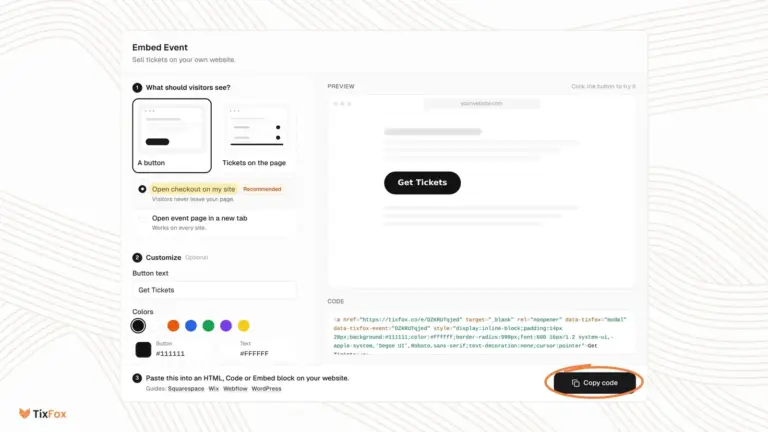
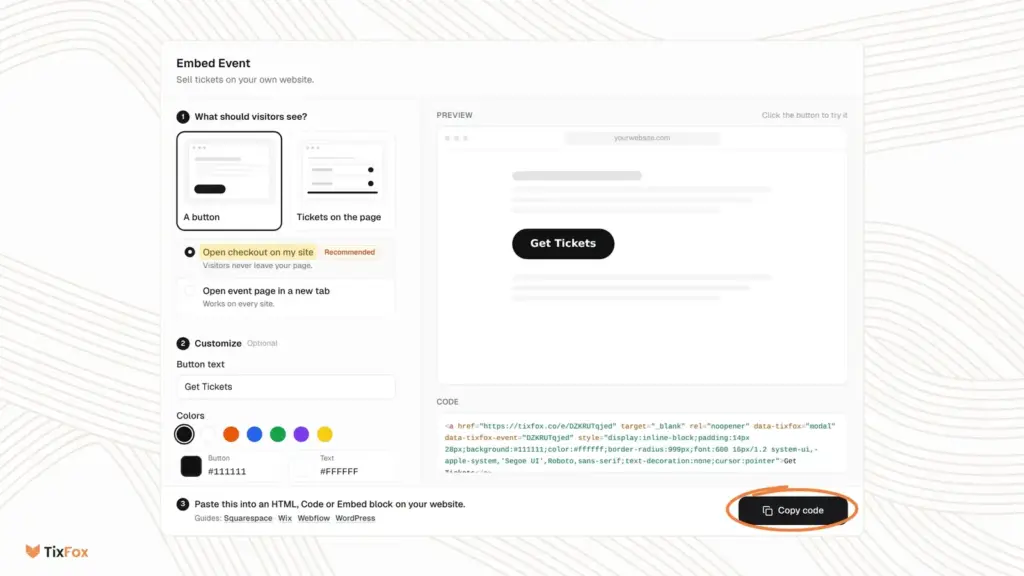
- Website ticket embed
You get the same tools whichever way you pay, because TixFox sells no add-on modules or upgrade tiers.
- Selling. Ticket tiers with their own price, quantity, sale window and per-order limit, add-ons such as merchandise, parking passes and VIP upgrades, donations at checkout with no TixFox fee, pay-what-you-can pricing, discount codes and buy-X-get-Y offers applied automatically.
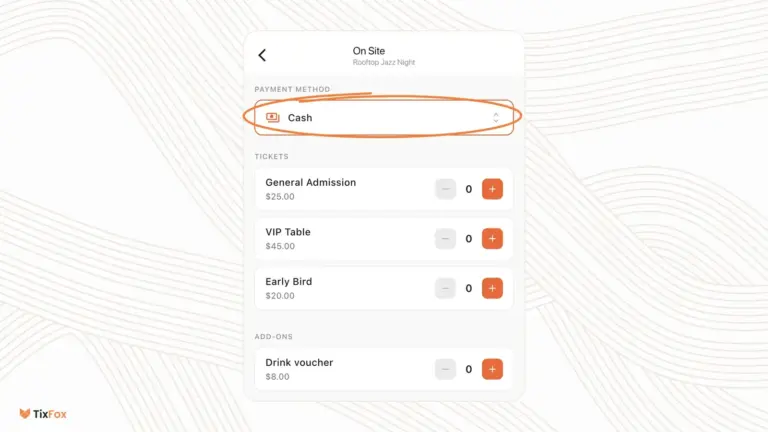
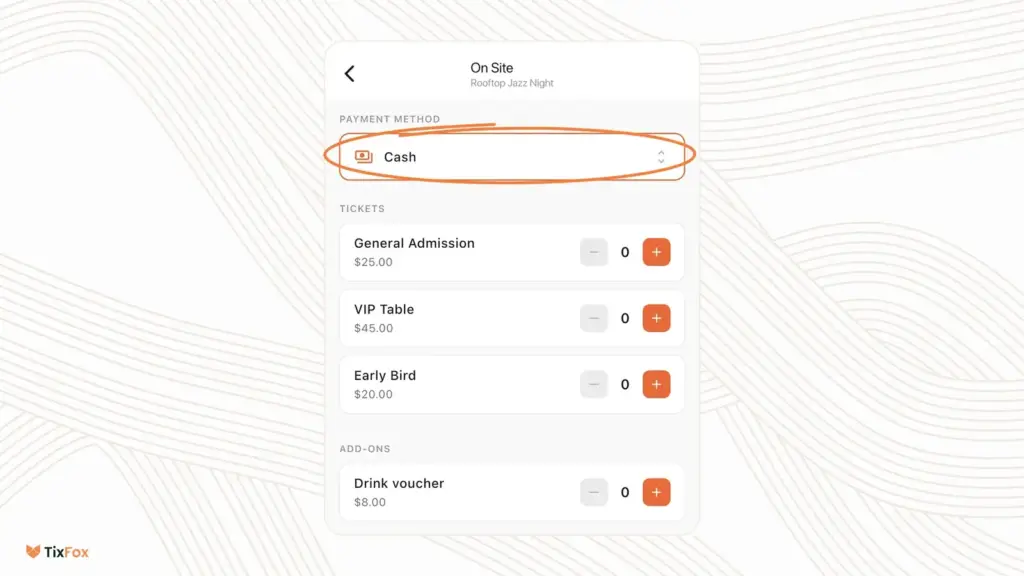
- At the door. A free iPhone and Android app that scans QR codes, searches guests by name or ticket ID and flags duplicates. Tap to Pay and cash sales run in the same app, with no card reader to buy.
- Staff access. Check-in assistants scan without seeing your account or financials. Team members get one of four roles (Admin, Finance Manager, Scanner, Viewer), and one login can switch between several workspaces.
- Tickets. E-tickets by email with a unique QR code per ticket, Apple and Google Wallet passes, recurring and timed-entry dates with per-date price overrides, and private events behind a passcode.
- Event pages. Custom colours, fonts and branding, custom checkout fields, editable confirmation emails, automated reminder emails and event duplication.
- Reporting and promotion. Live sales analytics, CSV export of attendees and sales, UTM link tracking and selling in 18 currencies.
Plans and pricing
You pay only when you sell paid tickets, so a quiet month costs nothing. TixFox publishes three ways to pay, and all of them include every feature, unlimited events and priority support.
| Plan | Price | Billing | Includes |
|---|---|---|---|
| Free | $0 per free ticket | No charge | Free tickets at any volume |
| Pay as you sell | $0.39 per paid ticket, $0.30 on tickets under $5 | Per ticket, nothing upfront | All features, no monthly fee |
| Pay upfront (credits) | From $0.29 per paid ticket | Prepaid packs | $1,450 for 5,000 tickets, a saving of $500 against $0.39 each |
Its help centre lists the credit packs, priced in US dollars: 50 for $19.50 and 100 for $39 ($0.39 each), 250 for $92.50 ($0.37), 500 for $175 ($0.35), 1,000 for $330 ($0.33), 2,500 for $775 ($0.31) and 5,000 for $1,450 ($0.29). Credits do not expire.
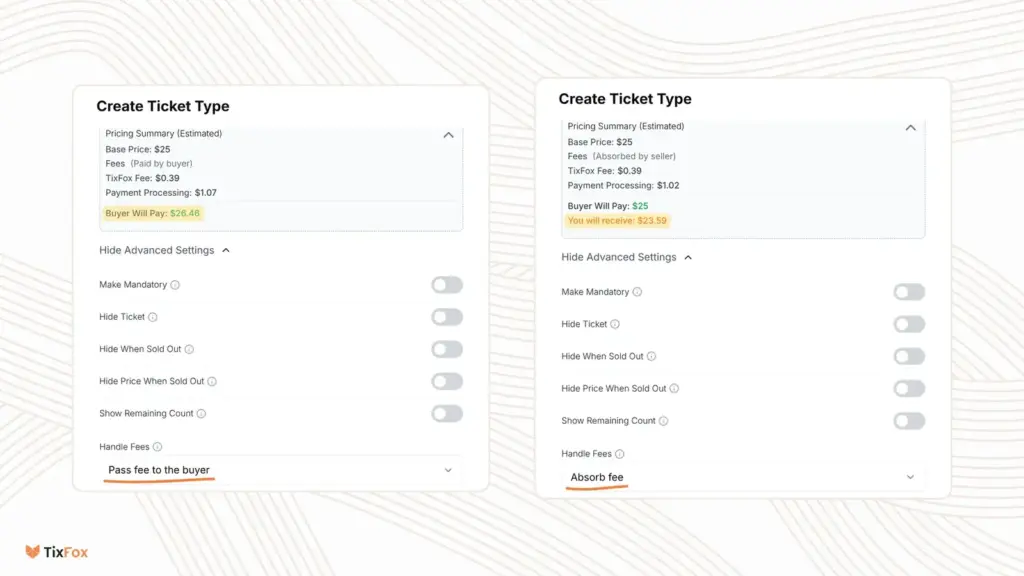
Stripe’s card fee comes on top, at 2.9% + $0.30 for US domestic cards. You choose per ticket type who covers the fees. On a $25 ticket, the ticket form estimates $26.46 for the buyer if you pass them on, or $23.59 for you if you absorb them. TixFox’s own comparison puts the same passed-on ticket at about $28.52 on Eventbrite, so check Eventbrite’s current rates yourself. Prices as shown on its pricing page, checked 7 November 2026.
Free plan and trial
You can sign up without a credit card and run free events at no cost, with the same event page and check-in tools as paid events. TixFox describes no separate time-limited trial, and paid tickets carry the fee from the first sale.
Integrations and API
- Stripe
- Zapier
- Google Sheets
- Mailchimp
- HubSpot
- Notion
- Airtable
- ActiveCampaign
- Salesforce
- Jotform
- Gmail
- Slack
- Google Calendar
- Webhooks by Zapier
Show all 21 integrations
- Meta Pixel
- Google Analytics 4
- Google Tag Manager
- Reddit pixel
- X pixel
- WordPress plugin
- Framer plugin
You can feed sales into the tools you already use without building anything. Stripe handles payments through Stripe Connect. The integrations page connects TixFox through Zapier, which it says reaches more than 7,000 apps, and names Google Sheets, Mailchimp, HubSpot, Notion, Airtable, ActiveCampaign, Salesforce, Jotform, Gmail, Slack, Google Calendar and Webhooks by Zapier.
Ad tracking connects without code through Meta Pixel, Google Analytics 4, Google Tag Manager, Reddit and X pixels. To sell on your own site, you can use the WordPress or Framer plugin or paste an embed code, either a button or a ticket widget, into builders including Squarespace, Wix, Webflow and Canva. Its features and integrations pages describe no developer API of its own, so ask if you need one.
Deployment and platforms
You have nothing to install to manage events, because TixFox runs in a web browser. The scanning app for iOS and Android is optional and any phone with a rear camera can scan, while Tap to Pay needs a supported recent model. Its sub-processor list, last updated in August 2024, gives Hetzner cloud hosting in the United States. Under its GDPR page you are the data controller and TixFox the processor. Card data sits with Stripe, which TixFox describes as PCI-DSS Level 1, and its legal pages and FAQ name no SOC 2 or ISO 27001 certificate for TixFox itself.
Company
You contract with TixFox LLC, a limited liability company organised under Delaware law in the United States. The developer details on its Google Play listing give a postal address at 8 The Green, Dover, Delaware, while the iOS app is published on the App Store under the developer name HahuCloud LLC. Its terms and about page give no founding year, and its public changelog runs from January 2025. Support runs by email (typically within 24 hours on business days), WhatsApp messages and live chat in business hours.
What to check before buying
- Cash and manual orders. Paid cash sales and orders you add from the dashboard cannot be recorded without credits, so top up before doors open. Online and Tap to Pay sales carry on at the regular fee if you run out.
- Credit limits. Credits are non-refundable and cannot be transferred. On tickets under $5, only the 5,000 pack beats the $0.30 rate.
- Payout timing. The site advertises instant payouts, yet its FAQ says US funds are usually ready after 2 business days and a first payout typically takes 7 to 14 days. Stripe controls the schedule.
- Your country’s card rates. A TixFox help article lists 1.5% + 20p for standard UK cards and 4.4% + $0.30 for international cards on US accounts. Confirm with Stripe. Under its terms, if your payment account’s country stops TixFox collecting its fee, paid tickets can only be sold with credits.
- Refunds and tax. Refunds come out of your Stripe balance and TixFox keeps its fee, even if the event is cancelled. It does not calculate, collect or remit sales tax or VAT, so that stays with you. Fees can change on 30 days’ written notice.
- Support hours. The about page mentions 24/7 support while the contact page gives business-day email and business-hours chat, so ask what cover you get on a weekend event.
TixFox pricing
What TixFox publishes about its pricing, checked on its own pricing page. Prices change, so confirm the current terms with TixFox before you buy.
| Pricing model | Fee per ticket sold |
|---|---|
| Published starting price | $0.29 per paid ticket with credits; $0.39 pay as you sell ($0.30 under $5); $0 on free tickets |
| Free plan | Yes |
| Free trial | No |
No monthly fee or contract. Stripe's card fee is extra, at 2.9% + $0.30 for US domestic cards. You choose per ticket type who covers the fees.
Source: tixfox.co, checked 7 November 2026.
Alternatives to TixFox
Other directory profiles that do the same job as TixFox.
- InEvent, also listed for event apps and networking platforms
- Eventbrite
- Eventzilla
- EventsAir, also listed for event apps and networking platforms
- Splash
- idloom, also listed for lead retrieval apps and badging tools
Compare every listed option in event ticketing and registration software.
Related on Event Tech News
- Registration and ticketing, the category this listing sits in.
- Choosing event registration software, for testing your own registration journey with each supplier.
- Eventbrite, the marketplace TixFox compares its fees against.
- TicketSpice, also charged per paid ticket and aimed at festivals, fairs and museums.
- Ticket Tailor, if you need reserved seating or an open API with webhooks.
- Tito, a subscription-free option for developer and B2B conferences.
- Hi.Events, a per-ticket hosted service that you can also self-host.
- pretix, for badge printing and offline scanning.
Sources: tixfox.co, pricing, features, integrations, FAQ, about, contact, credits help article, Stripe fees help article, terms, GDPR and sub-processors, changelog, its Google Play listing and App Store listing, checked 7 November 2026.
Details from TixFox’s own published information (source: tixfox.co, checked 7 November 2026).